

Description
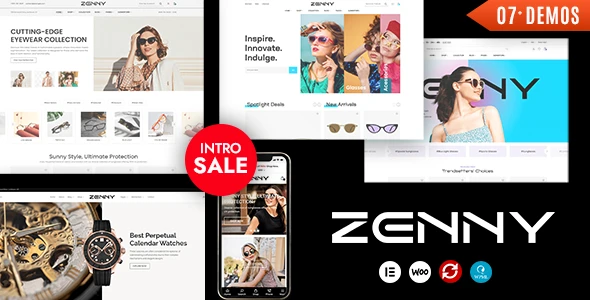
Zenny Jewelry & Accessories WooCommerce Theme is a premium solution for jewelry shops, watch retailers, and eyewear brands. This jewelry WooCommerce theme offers elegant layouts to highlight rings, necklaces, and luxury collections. As a watches WooCommerce theme, it provides product variations, quick view options, and secure checkout. Built as a WooCommerce theme for glasses, it supports stylish eyewear catalogs with responsive performance. With Elementor integration, the fashion WooCommerce theme allows drag‑and‑drop customization for lookbooks and collections. Designed as a luxury WordPress theme, Zenny ensures SEO optimization, mobile‑friendly design, and conversion‑focused storefronts.
🌐 Overview
- Theme Name: Zenny – Jewelry, Watches & Glasses Elementor WooCommerce Theme
- Category: WooCommerce / Fashion / Accessories WordPress Theme
- Best For: Jewelry stores, watch retailers, eyewear shops, luxury boutiques, and online fashion brands
🎯 Key Features
- Elegant Storefront Design
- Pre‑built demos for jewelry, watches, and glasses shops
- Product‑focused layouts with premium styling
- WooCommerce Integration
- Full eCommerce functionality with secure checkout
- Product variations, wishlists, and quick view options
- Elementor Page Builder
- Drag‑and‑drop customization with fashion‑focused widgets
- Flexible layouts for product showcases, lookbooks, and collections
- Responsive & SEO Optimized
- Mobile‑friendly, retina‑ready design
- RankMath compatibility for higher search visibility
- Luxury Branding Tools
- Typography and color customization for premium aesthetics
- Image sliders, product carousels, and promotional banners
- Customer Engagement Features
- Blog layouts for fashion trends and style guides
- Testimonials and review sections to build trust
📊 Feature Highlights
| Feature | Zenny Benefits |
|---|---|
| Elegant Storefront | Jewelry, watches & glasses demos |
| WooCommerce Ready | Secure checkout, product variations |
| Elementor Integration | Drag‑and‑drop customization |
| Responsive Design | Mobile‑friendly, retina‑ready |
| SEO Optimization | RankMath compatible |
| Luxury Branding | Premium typography & layouts |
| Customer Engagement | Blogs, testimonials, reviews |
👥 Who Should Use Zenny?
- Jewelry Stores – Showcase rings, necklaces, and luxury collections.
- Watch Retailers – Present premium timepieces with product variations.
- Eyewear Shops – Sell glasses, sunglasses, and optical accessories.
- Fashion Boutiques – Build stylish online storefronts with Elementor.
- Luxury Brands – Create elegant, conversion‑focused eCommerce experiences.
⚠️ Considerations & Trade‑offs
- Plugin Dependencies: Requires WooCommerce and Elementor for full functionality.
- Customization Depth: Advanced layouts may need Elementor expertise.
- Performance: High‑resolution product images may require caching optimization.
✅ Final Takeaway
Zenny is a luxury WooCommerce WordPress theme designed for jewelry, watches, and eyewear shops. With elegant layouts, Elementor customization, WooCommerce integration, and SEO‑ready design, it’s the perfect solution for fashion and accessory brands looking to build a premium online presence and boost sales.









Reviews
There are no reviews yet.