

Description
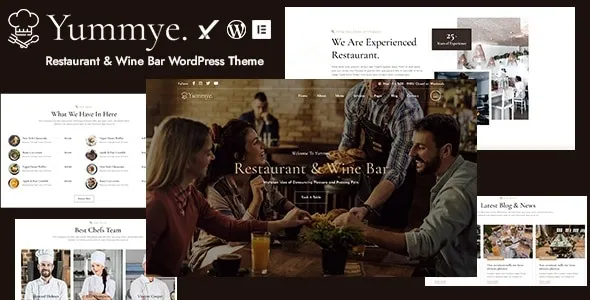
Yummye – Restaurant & Wine Bar WordPress Theme is a stylish, elegant, and fully responsive WordPress theme designed for restaurants, wine bars, cafés, bistros, and fine-dining establishments. With its sophisticated design and powerful features, Yummye helps hospitality businesses showcase menus, promote events, manage reservations, and create a memorable online presence that attracts food lovers and wine enthusiasts alike.
🍷 Key Features
- Restaurant & Wine Bar-Oriented Design
Tailored layouts for fine dining, wine bars, cafés, and food service businesses. - Menu & Food Showcases
Present dishes, drinks, and wine collections with customizable menu templates and gallery options. - Reservation & Booking System
Integrated online booking forms allow customers to quickly and easily reserve tables. - Event & Wine Tasting Management
Could you share upcoming events, wine tastings, and exceptional dining experiences with structured layouts? - Chef & Team Profiles
Could you highlight chefs, sommeliers, and staff with bios, photos, and social links to build credibility? - Elementor Page Builder
Drag-and-drop customization with Elementor makes it easy to design unique pages without coding. - Responsive & Mobile-Friendly
Optimized for desktops, tablets, and smartphones, ensuring smooth browsing experiences across all devices. - WooCommerce Integration
Sell wine bottles, gourmet products, or event tickets directly through your site. - Blog & Content Options
Share recipes, wine pairing tips, and restaurant updates with customizable blog layouts. - One-Click Demo Import
You can quickly reproduce demo designs and launch your restaurant or wine bar website with minimal effort.
⚙️ Technical Highlights
- Compatible with WordPress 6+
- Built with Elementor for advanced customization
- WooCommerce-ready for e-commerce functionality
- Retina-ready and translation-ready
- SEO-friendly structure for better search visibility
- Lightweight and fast-loading performance
- Regular updates and documentation support
🎯 Why Choose Yummye?
Yummye is perfect for restaurants, wine bars, cafés, and fine-dining businesses seeking a sophisticated, customer-friendly, and easy-to-manage website. Its menu showcases, reservation system, event management, WooCommerce integration, and Elementor customization make it a complete solution for promoting culinary experiences, engaging customers, and growing your hospitality brand online.









Reviews
There are no reviews yet.