
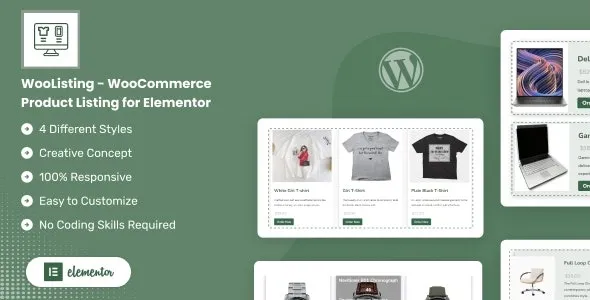

Description
WooListing WooCommerce Product Listing Elementor GPL is a premium digital product available at GPLFox, designed to help WooCommerce stores create modern product grids, listings, and showcases with Elementor.
🌟 Benefits of WooListing WooCommerce Product Listing Elementor GPL for WooCommerce Stores
Product Listing Layouts
- Multiple grid, list, and masonry layouts for product showcases.
- Customizable columns, spacing, and alignment.
- Responsive design optimized for mobile, tablet, and desktop.
Advanced Filtering & Sorting
- AJAX‑powered product filters for categories, tags, and attributes.
- Search and sorting options for better navigation.
- Dynamic pagination and load‑more functionality.
Customization & Styling
- Elementor compatibility for drag‑and‑drop editing.
- Control over colors, typography, and hover effects.
- Custom badges, sale labels, and product highlights.
Product Showcase Tools
- Featured product sections with hero layouts.
- Quick view popups for instant product previews.
- Wishlist and compare integration for enhanced shopping experience.
Performance & Compatibility
- Lightweight code optimized for speed and SEO.
- Works seamlessly with WooCommerce and Elementor Pro.
- Translation‑ready for multilingual stores.
⚡ Why Buy WooListing WooCommerce Product Listing Elementor GPL?
WooListing is more than just a product listing addon—it’s a complete toolkit for building professional WooCommerce stores with Elementor. Its flexible layouts, advanced filters, and modern styling options make it ideal for shop owners, agencies, and developers who want to deliver a polished, user‑friendly shopping experience.
📋 Quick Setup Checklist
- Install and activate WooListing.
- Open Elementor and add WooListing widgets to your pages.
- Customize layouts, filters, and styling to match your brand.
- Enable quick view, wishlist, or compare features.
- Publish your product listings and start selling with style.
🛒 WooListing WooCommerce Product Listing Elementor GPL
WooListing WooCommerce Product Listing Elementor GPL is a powerful premium digital product available at GPLFox. Designed specifically for WooCommerce stores, it helps you create modern product grids, listings, and showcases using Elementor. With its responsive layouts and customization options, WooListing makes it easy to highlight your products, improve user experience, and increase conversions.
⚡ Key Benefits
- Dynamic Product Grids – Showcase WooCommerce products with flexible layouts.
- Elementor Integration – Drag‑and‑drop editing for product listings.
- SEO Friendly – Optimized structure to rank with WooListing WooCommerce Product Listing Elementor GPL keywords.
- Responsive Design – Works flawlessly across mobile, tablet, and desktop.
- Premium Digital Product – Secure purchase, instant download, and membership options at GPLFox.
🚀 Perfect For
- WooCommerce store owners
- Digital product sellers
- Online shops using Elementor
- Businesses needing advanced product listing solutions









Reviews
There are no reviews yet.