

Description
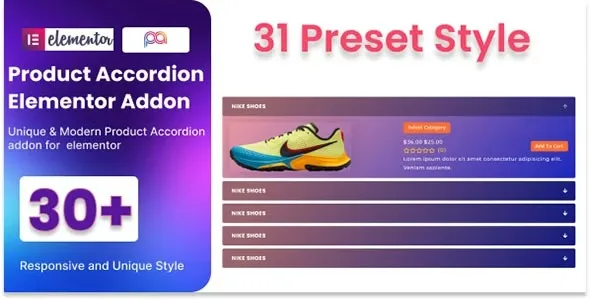
The WooCommerce Product Accordion Addon For Elementor is a dynamic Elementor WooCommerce product addon that transforms product listings into interactive accordion layouts. This WooCommerce accordion plugin allows store owners to organize product details, categories, and variations in a collapsible format for easy navigation. With responsive design and AJAX support, the product accordion WordPress addon ensures smooth performance across all devices. Lightweight and SEO‑friendly, this responsive WooCommerce addon integrates seamlessly with Elementor’s drag‑and‑drop builder, making customization simple and code‑free.
Perfect for e‑commerce stores, agencies, and freelancers, the interactive product layout Elementor plugin enhances user experience and boosts conversions. Whether you need a WooCommerce product showcase plugin or a lightweight Elementor WooCommerce WordPress add-on, this tool delivers professional results. Available exclusively at GPL Fox.
🌐 Overview
- Plugin Name: WooCommerce Product Accordion Addon For Elementor
- Category: WooCommerce / Elementor Addon
- Best For: Online shops, e‑commerce developers, agencies, and freelancers who want product listings in accordion style
🎯 Key Features
- Accordion Product Display
- Show WooCommerce products in collapsible accordion layouts
- Organize product details for easy navigation
- Elementor Integration
- Drag‑and‑drop widget support
- Customizable accordion styles without coding
- WooCommerce Enhancements
- Dynamic product loading with AJAX support
- Options for categories, pricing, and product variations
- Responsive & SEO Optimized
- Mobile‑friendly accordion layouts
- RankMath compatibility for better search visibility
- Customization & Branding
- Control over colors, typography, and accordion icons
- Flexible templates for product highlights
📊 Feature Highlights
| Feature | Benefits |
|---|---|
| Accordion Layouts | Collapsible product display |
| Elementor Support | Drag‑and‑drop customization |
| WooCommerce Integration | Dynamic product loading |
| Responsive Design | Mobile‑friendly layouts |
| SEO Optimization | RankMath compatible |
👥 Who Should Use WooCommerce Product Accordion Addon?
- Online Store Owners – Organize product details in accordion style.
- Agencies & Developers – Build modern e‑commerce layouts for clients.
- Freelancers – Create professional product showcases quickly.
- Marketers – Improve conversions with structured product displays.
⚠️ Considerations
- Plugin Dependencies: Requires Elementor and WooCommerce installed.
- Design Focused: Best suited for shops needing structured product layouts.
✅ Final Takeaway
The WooCommerce Product Accordion Addon For Elementor is a powerful plugin that transforms product listings into interactive accordion layouts. With responsive design, smooth AJAX loading, and full Elementor integration, it’s ideal for e‑commerce stores, agencies, and freelancers looking to enhance product presentation and user experience.









Reviews
There are no reviews yet.