

Description
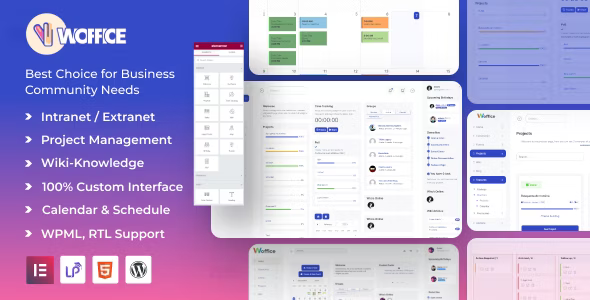
Woffice Intranet WordPress Theme is a powerful project management WordPress theme designed for organizations that need secure internal networks and collaboration tools. As an extranet WordPress theme, it provides role‑based access for clients and partners. With collaboration WordPress theme features, Woffice includes dashboards, task tracking, and CRM tools. Its community WordPress theme integration with BuddyPress supports member profiles, forums, and messaging. The LearnPress WordPress theme compatibility makes it ideal for schools and training centers, while its corporate intranet WordPress theme layouts suit businesses and government agencies. Built as a responsive collaboration WordPress theme, Woffice ensures smooth performance across devices, and as an SEO optimized WordPress theme, it helps organizations maximize visibility and engagement.
🌐 Overview
- Theme Name: Woffice – Intranet, Extranet & Project Management WordPress Theme
- Developer: WofficeIO
- Category: Intranet, Extranet, Project Management, Community WordPress Theme
- Best For: Businesses, government agencies, schools, non‑profits, and organizations needing private networks, project management, or e‑learning platforms
🎯 Key Features
- Community & Collaboration
- BuddyPress integration for member profiles, activity streams, messaging, and forums
- Role‑based access control for secure intranet/extranet environments
- Project Management & CRM
- Integrated dashboards for tasks, projects, and client management
- Time tracking, polls, and decision‑making widgets
- Learning Management System (LMS)
- Compatible with LearnPress and LearnDash for training and e‑learning
- Quizzes, courses, and certificates for employee or student development
- Customization & Branding
- Elementor widgets, drag‑and‑drop design, and 12+ color palettes
- Revolution Slider and mega menus for advanced layouts
- E‑Commerce & Memberships
- WooCommerce integration for selling subscriptions or services
- Paid Memberships Pro for flexible membership levels
- Calendars & Events
- EventON integration for full‑month calendar views
- Personal calendar tabs for team events and meetups
- AI‑Powered Tools
- Woffice Credits powered by OpenAI for brainstorming project titles, blog descriptions, and more Woffice
📊 Feature Highlights
| Feature | Woffice Benefits |
|---|---|
| Community Tools | BuddyPress profiles, messaging, forums |
| Project Management | Dashboards, CRM, time tracking |
| LMS Integration | LearnPress & LearnDash support |
| Customization | Elementor, Revolution Slider, color palettes |
| E‑Commerce | WooCommerce, Paid Memberships Pro |
| Events & Calendars | EventON, personal calendar tabs |
| AI Tools | Content generation with Woffice Credits |
👥 Who Should Use Woffice?
- Businesses & Corporations – Build secure intranet/extranet networks for employees and clients.
- Schools & Universities – Manage e‑learning platforms and student communities.
- Government Agencies – Provide internal communication and project management tools.
- Non‑profits & NGOs – Create collaborative spaces for volunteers and members.
- Community Organizations – Run forums, events, and training programs.
⚠️ Considerations & Trade‑offs
- Setup Complexity: Advanced features like LMS and CRM may require configuration.
- Plugin Dependencies: Some functions rely on third‑party plugins (BuddyPress, LearnPress, EventON).
- Customization Depth: Elementor simplifies design, but intranet workflows may need add‑ons.
Woffice – Intranet, Extranet & Project Management WordPress Theme is a feature‑rich, community‑focused solution designed for businesses, schools, and organizations to build secure internal networks, manage projects, and foster collaboration. It integrates BuddyPress, LearnPress, WooCommerce, and advanced dashboards to deliver a powerful intranet/extranet experience. Woffice Woffice









Reviews
There are no reviews yet.