
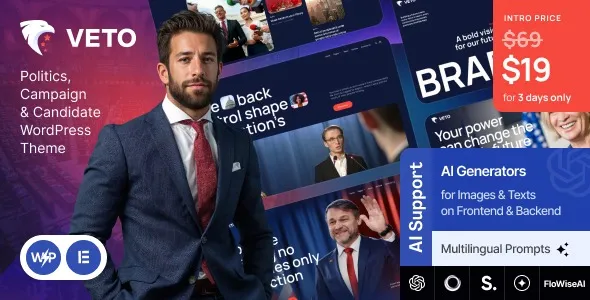

Description
The Veto Politics Campaign Candidate WordPress Theme at GPL Fox is a complete solution for political campaigns, nonprofits, and advocacy groups. This political campaign WordPress theme helps candidates showcase their vision, biography, and promises with a professional online presence. With its candidate website template, organizations can highlight initiatives and connect with supporters. Nonprofits benefit from its advocacy WordPress theme features, while election managers can use the fundraising WordPress theme tools to raise donations. The theme also includes volunteer registration WordPress templates, WooCommerce political fundraising theme integration, and a responsive political website design—making Veto the perfect choice for campaigns worldwide.
📖 Theme Overview
- Name: Veto – Politics, Campaign & Candidate WordPress Theme
- Version: 1.6.0
- Platform: WordPress (Elementor + WooCommerce)
- Audience: Political candidates, parties, nonprofits, advocacy groups, campaign managers
- Design Style: Sleek, professional, campaign-focused
🚀 Key Features
- Homepage Demos: Professionally designed layouts for candidates, parties, and organizations.
- Donation System: Integrated fundraising tools via WooCommerce.
- Event Management: Templates for rallies, meetings, and conferences.
- Volunteer Tools: Registration forms and supporter engagement features.
- WooCommerce Integration: Sell campaign merchandise and materials.
- Blog Layouts: Share updates, news, and political insights.
- Newsletter Forms: Build supporter lists and communicate effectively.
- Social Media Integration: Outreach and promotion across platforms.
- Responsive Design: Optimized for mobile, tablet, and desktop.
- SEO-Friendly: Structured for higher search engine rankings.
- Multilingual & RTL Support: Accessible for global campaigns.
🛠️ Use Cases
- Political Candidates: Showcase vision, biography, and campaign promises.
- Parties & Organizations: Highlight initiatives, events, and fundraising drives.
- Activists & Nonprofits: Promote causes, organize rallies, and engage volunteers.
- Campaign Blogs: Share political insights, updates, and news articles.
📊 Comparison Snapshot
| Feature | Veto Theme | Generic Political Theme |
|---|---|---|
| Donation System | ✅ Built-in | ⚪ Limited |
| Event Management | ✅ Advanced | ⚪ Basic |
| Volunteer Tools | ✅ Yes | ⚪ Optional |
| WooCommerce Support | ✅ Yes | ⚪ Varies |
| Multilingual + RTL | ✅ Ready | ⚪ Limited |
⚠️ Considerations
- Best for Campaigns: Tailored for political and nonprofit use; less suitable for non-political sites.
- Plugin Dependency: Requires Elementor and WooCommerce for full functionality.
- GPL Version: Available at GPL Fox without official developer support.
✅ Recommendation
Veto – Politics, Campaign & Candidate WordPress Theme is a modern, responsive solution for political candidates, parties, activists, and organizations. Available at GPL Fox, it combines sleek layouts, donation systems, event management, volunteer tools, WooCommerce fundraising, and multilingual/RTL support to help campaigns raise funds, engage supporters, and share their vision online.
If you’re building a political campaign or candidate website, Veto at GPL Fox is a complete solution. It’s ideal for candidates in Dhaka or globally who want to raise funds, manage events, recruit volunteers, and engage supporters online with a professional, SEO-ready design.









Reviews
There are no reviews yet.