

Description
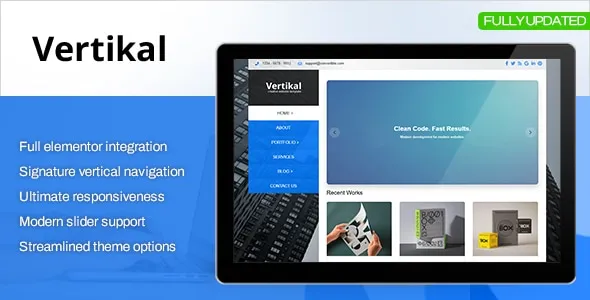
Vertikal Responsive WordPress Theme is designed for businesses, agencies, and professionals who want a modern and distinctive website. As a Business WordPress Theme, it offers unique vertical navigation and flexible layouts. With Corporate WordPress Theme features, it’s perfect for company profiles and services, while the Portfolio WordPress Theme tools allow creative professionals to showcase projects elegantly. The Agency WordPress Theme design integrates seamlessly with Elementor for customization, and its responsive WordPress theme structure ensures smooth performance across devices. Built as an SEO optimized WordPress theme, Vertikal helps brands achieve visibility and credibility online.
🌐 Overview
- Theme Name: Vertikal – Responsive WordPress Theme
- Developer: ThemeGuri
- Category: Business & Corporate WordPress Theme
- Best For: Agencies, corporate websites, portfolios, creative professionals, and companies needing a modern responsive site
🎯 Key Features
- Unique Vertical Navigation
- Sidebar/vertical menu for distinctive layouts
- Built‑in Ajax navigation for smooth transitions
- Drag‑and‑Drop Page Builder
- 50+ elements with flexible customization
- “All‑in‑One Widget” for easy sidebar content creation
- Pre‑Made Skins & Layouts
- 11+ skins included
- Unlimited colors, sidebars, and typography options
- SEO & Performance Optimized
- Clean HTML structure, RankMath compatible
- Google headshot and star rating system support
- Portfolio & Business Tools
- Custom post types for portfolio, clients, and team members
- Revolution Slider and Flex Slider integration
- Responsive & Retina Ready
- Mobile‑first design with retina icons
- Typography settings with Google Webfonts
- International Ready
- WPML translation support
- Child theme included for developers
📊 Feature Highlights
| Feature | Vertikal Benefits |
|---|---|
| Vertical Navigation | Unique sidebar menu design |
| Customization | Drag‑and‑drop builder, unlimited colors |
| Business Tools | Portfolio, clients, team members |
| SEO Optimization | Clean coding, Google star ratings |
| Responsive Design | Mobile‑friendly, retina‑ready |
| Pre‑Made Skins | 11+ skins for quick setup |
| Translation Ready | WPML support for global use |
👥 Who Should Use Vertikal?
- Corporate Websites – Professional layouts with vertical navigation.
- Agencies & Studios – Showcase portfolios and client projects.
- Creative Professionals – Build personal branding sites.
- Business Blogs – Clean, SEO‑optimized structure for content marketing.
⚠️ Considerations & Trade‑offs
- Learning Curve: Vertical navigation may feel unusual for traditional users.
- Customization Depth: Advanced features may require time to configure.
- Plugin Dependencies: Some functions rely on bundled sliders and widgets.
Vertikal – Responsive WordPress Theme is a multipurpose business theme known for its unique vertical navigation, drag‑and‑drop builder, and clean responsive design. It’s ideal for corporate websites, portfolios, agencies, and professional blogs, offering flexibility, SEO optimization, and modern customization tools. themesandmods.com author.market









Reviews
There are no reviews yet.