
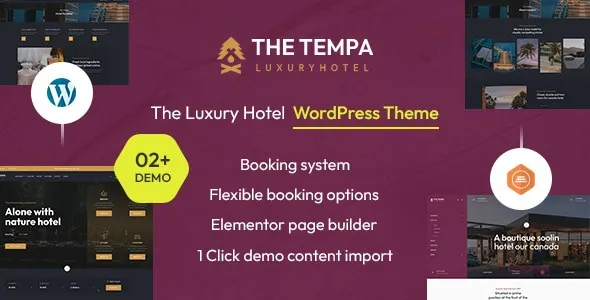

Description
The Tempa Luxury Hotel WordPress Theme is an elegant hospitality WordPress theme designed for premium hotels, boutique resorts, and vacation rentals. This luxury hotel WordPress theme includes advanced booking tools with reservation forms, availability calendars, and seasonal pricing options. With Elementor support, the boutique resort WordPress template allows drag‑and‑drop customization for rooms, suites, and amenities. WooCommerce integration ensures the hotel booking WordPress theme can accept secure online payments and manage hospitality packages.
Fully responsive and retina‑ready, the vacation rental WordPress theme delivers a seamless experience across devices. Whether you need a responsive hotel WordPress theme for mobile performance or a SEO optimized hotel WordPress theme for visibility, Tempa provides a complete solution for luxury hospitality businesses.
🌐 Overview
- Theme Name: Tempa – The Luxury Hotel WordPress Theme
- Category: WordPress Theme / Hospitality, Hotels, Resorts
- Best For: Luxury hotels, boutique resorts, vacation rentals, hospitality businesses, and travel agencies
🎯 Key Features
- Luxury Hotel Design
- Elegant layouts tailored for premium hospitality websites
- Showcase rooms, suites, and amenities with high‑quality galleries
- Advanced Booking System
- Integrated reservation forms and availability calendars
- Seasonal pricing, discounts, and package management
- WooCommerce Integration
- Accept secure online payments for bookings and services
- Manage reservations and upsell hospitality packages
- Elementor Customization
- Drag‑and‑drop builder for flexible layouts
- Custom widgets for rooms, services, and testimonials
- Responsive & SEO Optimized
- Mobile‑friendly, retina‑ready design
- RankMath compatible for higher search visibility
- Hospitality Essentials
- Blog layouts for travel updates and promotions
- Contact forms, maps, and multilingual support
📊 Feature Highlights
| Feature | Benefits |
|---|---|
| Luxury Hotel Layouts | Showcase rooms, suites, amenities |
| Booking System | Reservations, seasonal pricing, packages |
| WooCommerce Ready | Secure online payments |
| Elementor Support | Drag‑and‑drop customization |
| Responsive Design | Mobile‑friendly, retina‑ready |
| SEO Optimization | RankMath compatible |
| Hospitality Tools | Blog, contact forms, multilingual |
👥 Who Should Use Tempa Theme?
- Luxury Hotels & Resorts – Present rooms, services, and amenities with elegance.
- Boutique Hospitality Brands – Build credibility with stylish layouts.
- Vacation Rentals – Manage bookings and showcase properties.
- Travel Agencies – Promote packages and hospitality services.
- Hospitality Businesses – Grow online presence with SEO‑ready design.
⚠️ Considerations
- Plugin Dependencies: Requires Elementor for full customization.
- Customization Depth: Advanced booking features may need third‑party add‑ons.
- Performance: Large image galleries may require caching optimization.
✅ Final Takeaway
The Tempa – Luxury Hotel WordPress Theme is a premium solution for hospitality businesses. With elegant layouts, advanced booking tools, WooCommerce integration, and responsive SEO‑ready design, it’s the perfect theme for luxury hotels, boutique resorts, and vacation rentals looking to elevate their online presence and attract guests worldwide.










Reviews
There are no reviews yet.