

Description
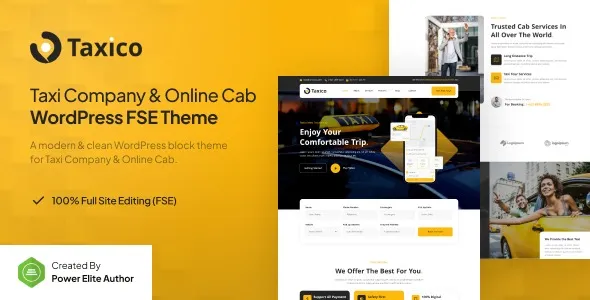
The Taxico Taxi Company Online Cab Service FSE WordPress Theme is a premium solution for taxi companies, cab booking services, and ride‑sharing businesses. Built as a taxi company WordPress theme, it offers sleek layouts, responsive design, and seamless customization with Elementor taxi service theme features. With WooCommerce cab booking integration, customers can book rides and pay online with ease, while its online cab booking WordPress theme structure ensures higher search rankings. Perfect for global audiences, the multilingual cab service WordPress theme support makes Taxico ideal for expanding your reach. Whether you’re building a ride‑sharing website theme or a professional taxi company platform, Taxico provides the tools to grow and succeed.
⚡ Key Features
- Full Site Editing (FSE): Complete control over layouts, headers, footers, and templates.
- Elementor Page Builder: Drag‑and‑drop customization without coding.
- Online Booking System: Integrated booking forms for cab reservations and ride scheduling.
- Responsive & Retina‑Ready Design: Optimized for mobile, tablet, and high‑resolution displays.
- One‑Click Demo Import: Launch your site quickly with ready‑made starter designs.
- WooCommerce Ready: Accept online payments for rides, packages, or rental services.
- SEO‑Friendly: Lightweight, clean code structure designed to boost search engine rankings.
- Service Showcase: Highlight taxi services, airport transfers, and rental packages.
- Fleet Management: Display vehicle types, features, and pricing options.
- Testimonials & Reviews: Build trust with client feedback and ratings.
- Blog Integration: Share travel tips, company updates, or industry insights.
- WPML & Translation Ready: Build multilingual websites for global reach.
🎨 Design & Customization
- Professional Aesthetic: Clean layouts with bold typography and service‑oriented visuals.
- Flexible Branding: Easily adjust colors, fonts, and sections to match your company’s identity.
- Booking & Call‑to‑Action Sections: Encourage visitors to book rides or request quotes instantly.
- Smooth Animations & Parallax Effects: Enhance user experience with modern transitions.
- Fleet & Pricing Tables: Present clear service packages and vehicle options.
🛠️ Ideal Use Cases
- Taxi Companies: Promote cab services, airport transfers, and city rides.
- Car Rental Businesses: Showcase vehicles, rental packages, and online booking options.
- Ride‑Sharing Startups: Build a professional platform for booking and managing rides.
- Transport Agencies: Present services, fleet details, and customer testimonials.
- Local Cab Operators: Create a modern online presence to attract new customers.
📌 Why Choose Taxico?
Taxico is more than a theme — it’s a complete taxi and cab service toolkit. By combining Full Site Editing flexibility, Elementor customization, WooCommerce integration, and industry‑specific layouts, it empowers transport businesses to attract customers, manage bookings, and grow their brand online.









Reviews
There are no reviews yet.