


Description
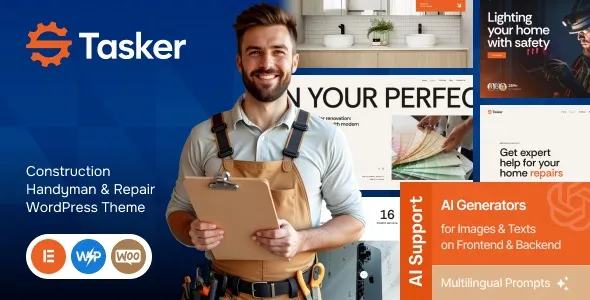
The Tasker Construction Handyman & Repair WordPress Theme is a professional handyman WordPress theme built for contractors, repair services, and renovation companies. This construction WordPress theme offers service‑focused layouts, project portfolios, and testimonial sections to build trust and credibility. With Elementor integration, the repair service WordPress theme makes customization simple and code‑free, while WooCommerce support allows businesses to sell tools, service packages, or bookings online.
Lightweight and responsive, this contractor WordPress theme ensures fast performance and mobile‑friendly design. Perfect for plumbers, electricians, and renovation firms, the renovation company WordPress theme enhances client engagement and boosts conversions. Whether you need a responsive service WordPress theme for showcasing projects or an SEO optimized WordPress theme for visibility, Tasker delivers professional results. Available exclusively at GPL Fox.
🌐 Overview
- Theme Name: Tasker – Construction Handyman & Repair WordPress Theme
- Category: WordPress Theme / Service, Construction, Handyman
- Best For: Contractors, repair services, plumbers, electricians, renovation companies, and handyman businesses
🎯 Key Features
- Service‑Focused Layouts
- Pre‑built demos for construction, handyman, and repair services
- Dedicated sections for services, pricing, testimonials, and portfolios
- Elementor Integration
- Drag‑and‑drop customization with Elementor
- Ready‑made widgets for service listings, galleries, and contact forms
- WooCommerce Ready
- Sell tools, service packages, or bookings online
- Integrated shop layouts for e‑commerce functionality
- Responsive & Mobile‑Friendly
- Optimized for all devices and screen sizes
- Retina‑ready visuals for professional presentation
- SEO & Performance Optimized
- Lightweight coding for fast loading
- Compatible with RankMath and Yoast SEO plugins
- Business Essentials
- Service showcase, team profiles, and project portfolios
- Blog layouts for tips, updates, and industry insights
📊 Feature Highlights
| Feature | Benefits |
|---|---|
| Service Layouts | Tailored for handyman & repair businesses |
| Elementor Support | Easy drag‑and‑drop customization |
| WooCommerce Integration | Sell services & tools online |
| Responsive Design | Mobile‑friendly, retina‑ready |
| SEO Optimization | Boosts visibility & rankings |
👥 Who Should Use Tasker Theme?
- Handyman Services – Showcase repair and maintenance offerings.
- Construction Companies – Present projects, portfolios, and service packages.
- Plumbers & Electricians – Build credibility with testimonials and service pages.
- Renovation Firms – Promote services with modern layouts and booking options.
⚠️ Considerations
- Plugin Dependency: Requires Elementor for full customization.
- Service Focused: Best suited for construction, handyman, and repair websites.
✅ Final Takeaway
The Tasker – Construction Handyman & Repair WordPress Theme is a professional, responsive, and SEO‑friendly solution for service providers. With Elementor integration, WooCommerce support, and service‑ready layouts, it’s perfect for contractors, repair services, and handyman businesses looking to build a strong online presence and attract more clients.









Reviews
There are no reviews yet.