

Description
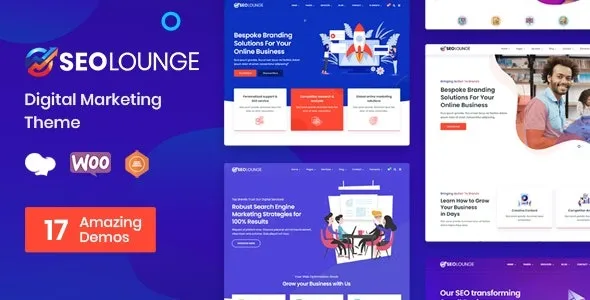
The SEO Lounge Digital Marketing WordPress Theme is a SEO agency WordPress theme designed for digital marketers, consultants, and creative studios. As a digital marketing WordPress theme, it offers layouts for service showcases, pricing tables, and case studies. With WooCommerce marketing theme features, SEO Lounge supports secure online sales of service packages and digital products. Its responsive SEO WordPress theme design ensures smooth performance across devices, while being an SEO optimized WordPress theme helps maximize visibility. Elementor compatibility makes customization simple, making it a powerful choice for agencies and business consultants aiming to grow their online presence.
🌐 Overview
- Theme Name: SEO Lounge – Digital Marketing WordPress Theme
- Version: 4.0.5 (Updated Feb 03, 2025)
- Category: SEO / Digital Marketing WordPress Theme
- Best For: SEO agencies, digital marketing firms, creative studios, startups, and consultants
🎯 Key Features
- Agency & Business Tools
- Multiple homepage demos for SEO and marketing agencies
- Service showcase layouts with pricing tables
- Portfolio and case study sections to highlight projects
- Testimonials and client logos for credibility
- WooCommerce Integration
- Sell services, packages, or digital products online
- Secure payment gateways and catalog support
- Customization Options
- Built with Elementor for drag‑and‑drop editing
- Unlimited color schemes and typography controls
- Flexible header, footer, and menu layouts
- One‑click demo import for instant setup
- Client Engagement Tools
- Blog layouts for SEO tips and marketing insights
- Newsletter subscription forms for lead generation
- Social media integration for outreach
- Contact forms for consultations
- Performance & Compatibility
- Optimized for speed and responsive across all devices
- Compatible with WordPress 6.x, WooCommerce, and PHP 8.x
- Lightweight code for faster loading times
- SEO & Global Support
- SEO‑friendly structure for higher rankings
- Translation‑ready and WPML compatible
- RTL language support for global accessibility
📊 Feature Highlights
| Feature | SEO Lounge Benefits |
|---|---|
| Homepage Demos | Ready layouts for SEO agencies |
| Service Showcases | Pricing tables & detailed descriptions |
| Portfolio & Case Studies | Highlight successful projects |
| WooCommerce Ready | Sell services & digital products |
| Elementor Customization | Drag‑and‑drop editing |
| SEO Optimization | Higher search engine visibility |
| Global Support | WPML & RTL compatibility |
👥 Ideal Use Cases
- SEO Agencies – Showcase services and case studies.
- Digital Marketers – Promote campaigns and sell packages.
- Creative Studios – Present branding and advertising solutions.
- Consultants – Offer online consultations and service bundles.
- Startups – Build credibility with portfolios and testimonials.
SEO Lounge – Digital Marketing WordPress Theme is a premium, modern, and fully responsive theme built for SEO agencies, digital marketers, startups, and consultants. It combines sleek layouts, Elementor customization, WooCommerce integration, and SEO‑friendly design to help businesses showcase services, build credibility, and convert leads online.









Reviews
There are no reviews yet.