

Description
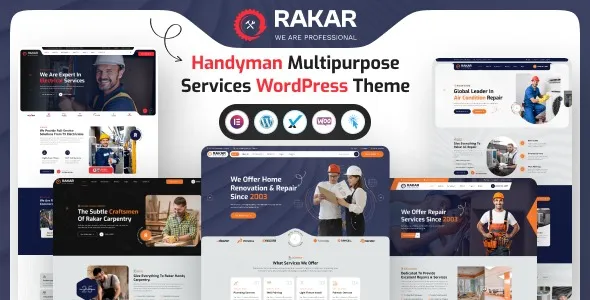
Rakar—Multipurpose Services WordPress Theme is a modern, flexible, and fully responsive WordPress theme designed for service‑oriented businesses, agencies, startups, and professional firms. Built with Elementor and powered by WooCommerce, Rakar provides all the essential tools to showcase services, promote portfolios, and create a professional online presence across multiple industries.
🌐 Overview
Rakar is a multipurpose services theme crafted to highlight business offerings, projects, and client success stories with clarity and impact. It comes with multiple homepage demos, service showcase layouts, and advanced customization options—ideal for agencies, consultants, and entrepreneurs aiming to build trust and attract clients. Its mobile‑friendly design ensures smooth browsing and engagement across desktops, tablets, and smartphones.
✨ Key Features
- Service & Business Tools
- Service showcase layouts for agencies, consultants, and professional firms
- Portfolio and case study sections to highlight projects and achievements
- WooCommerce integration for selling services, packages, or digital products
- Blog layouts for publishing industry insights, updates, and company news
- Pricing tables and comparison sections for service plans
- Customization Options
- Built with Elementor for drag‑and‑drop editing
- Multiple homepage demos tailored for different service industries
- Unlimited color schemes and typography controls
- Flexible header, footer, and menu layouts
- One‑click demo import for instant setup
- Client Engagement Tools
- Contact and inquiry forms for leads and collaborations
- Newsletter subscription forms for updates and promotions
- Social media integration for brand promotion
- Testimonials and review sections to build credibility
- Performance & Compatibility
- Optimized for speed and responsive across all devices
- Compatible with WordPress 6.x, WooCommerce, and PHP 8.x
- Lightweight code for faster loading times
- SEO & Global Support
- SEO‑friendly structure for higher search engine rankings
- Translation‑ready and WPML compatible
- RTL (Right‑to‑Left) language support for global accessibility
🎯 Why Choose Rakar?
Rakar is more than just a theme—it’s a complete solution for service‑based businesses. Its combination of modern design, Elementor customization, service showcase tools, WooCommerce integration, SEO optimization, and multilingual readiness, including RTL support, makes it perfect for agencies, consultants, and startups aiming to build a strong online presence.
📌 Ideal Use Cases
- Agencies and consulting firms
- Startups and entrepreneurs
- Professional service providers (legal, finance, marketing, IT)
- Creative studios and business portfolios
- Multipurpose corporate websites









Reviews
There are no reviews yet.