Description
Stagez – Conference and Event FSE WordPress Theme is a modern, dynamic, and fully responsive WordPress theme built with Full Site Editing (FSE). Designed for conferences, seminars, workshops, festivals, and corporate events, Stagez provides professional layouts and powerful features to help organizers promote events, manage schedules, and engage attendees with ease.
🎤 Key Features
- Event-Oriented Design
Tailored layouts for conferences, summits, workshops, concerts, and corporate gatherings.
- Event & Schedule Management
Showcase event details, speaker lineups, session schedules, and venue information with customizable templates.
- Speaker & Performer Profiles
Could you highlight keynote speakers, performers, or panelists with bios, photos, and social links to build credibility?
- Ticketing & Registration
Integrated booking and registration forms make it easy for attendees to secure tickets or RSVP online.
- Full Site Editing (FSE)
Built with WordPress block editor and FSE support, enabling complete customization of headers, footers, and layouts without coding.
- Responsive & Mobile-Friendly
Optimized for desktops, tablets, and smartphones, ensuring smooth browsing experiences across all devices.
- WooCommerce Integration
You can sell tickets, merchandise, or event packages directly through your site.
- Blog & Content Options
Share event updates, industry news, and behind-the-scenes stories with customizable blog layouts.
- One-Click Demo Import
You can quickly reproduce demo designs and launch your event website with minimal effort.
⚙️ Technical Highlights
- Compatible with WordPress 6+
- Built with FSE & Block Editor for advanced customization
- WooCommerce-ready for e-commerce functionality
- Retina-ready and translation-ready
- SEO-friendly structure for better search visibility
- Lightweight and fast-loading performance
- Regular updates and documentation support
🎯 Why Choose Stagez?
Stagez is perfect for conference organizers, event planners, corporate teams, and festival managers who want a professional, modern, and easy-to-manage website. Its event showcases, schedule management, speaker profiles, ticketing integration, WooCommerce support, and FSE customization make it a complete solution for promoting events, engaging audiences, and driving attendance online.
Only logged in customers who have purchased this product may leave a review.

 2 × USD2.99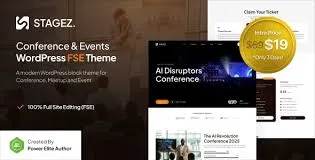










Reviews
There are no reviews yet.