
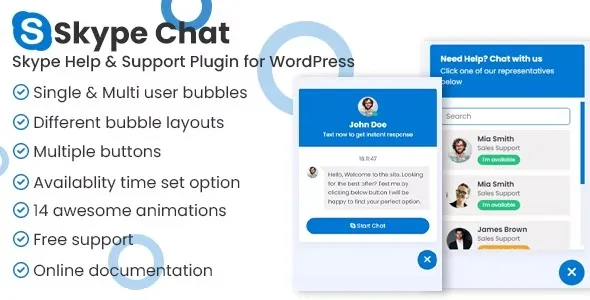

Description
Skype Chat Support Pro – WordPress Plugin
Skype Chat Support Pro is a premium WordPress plugin that integrates Skype’s messaging and calling features directly into your website, enabling real‑time communication between visitors and support teams. It’s designed for businesses, agencies, and e‑commerce sites that want to provide instant customer support, improve engagement, and build trust through direct interaction.
🌐 Overview
- Purpose: Add Skype chat and call support to WordPress websites.
- Audience: Businesses, agencies, e‑commerce stores, and service providers.
- Platform: WordPress + Skype.
🔑 Key Features
- Skype Integration: Connect your Skype account to WordPress for live chat and calls.
- Customizable Buttons: Add Skype chat/call buttons anywhere on your site.
- Multi‑Agent Support: Assign multiple Skype IDs for different departments or agents.
- Responsive Design: Optimized for desktop and mobile users.
- Floating Chat Widget: Display a floating Skype chat icon for quick access.
- Custom Availability: Set working hours to show or hide chat options.
- Direct Calls & Messaging: Visitors can instantly start a Skype conversation or call.
- Branding Options: Customize button styles, colors, and placement to match your site.
- Analytics & Tracking: Monitor chat activity and customer interactions.
📊 Benefits
| Feature | Standard Website Contact | With Skype Chat Support Pro |
|---|---|---|
| Communication Speed | Email forms, delayed | Instant chat & calls via Skype |
| Customer Engagement | Limited | Real‑time, interactive support |
| Multi‑Agent Handling | Manual | Assign multiple Skype IDs |
| Mobile Accessibility | Basic | Fully responsive Skype widget |
⚠️ Considerations
- Requires Skype Account: Each agent or department must have a valid Skype ID.
- Premium Plugin: Available with a valid license.
- Setup Needed: Admins must configure Skype IDs and availability schedules.
✅ Best For
- E‑commerce stores offering instant pre‑sales and post‑sales support.
- Agencies managing client communication.
- Service providers need real‑time customer interaction.
- Educational platforms offering live student support.
In short, Skype Chat Support Pro brings real‑time communication to WordPress websites, allowing businesses to connect instantly with visitors through Skype chat and calls—boosting customer satisfaction, trust, and conversions.









Reviews
There are no reviews yet.