Description
Setech – IT Services and Solutions WordPress Theme is a modern, professional, and fully responsive WordPress theme designed for IT companies, technology service providers, software developers, and digital solution agencies. Built with Elementor and optimized for performance, Setech provides all the essential tools to showcase services, highlight expertise, and create a strong online presence for tech businesses.
💻 Overview
Setech is a technology and IT services‑focused WordPress theme crafted to present digital solutions with clarity and professionalism. It offers multiple homepage demos, service showcase layouts, case study portfolios, and WooCommerce integration—ideal for IT firms and consultants aiming to attract clients and demonstrate their capabilities. Its mobile‑friendly design ensures smooth browsing and engagement across desktops, tablets, and smartphones.
✨ Key Features
- IT Services & Business Tools
- Service showcase layouts for IT consulting, cloud solutions, cybersecurity, and software development
- Portfolio and case study sections to highlight projects and success stories
- WooCommerce integration for selling digital products, services, or subscriptions
- Blog layouts for sharing industry insights, updates, and tutorials
- Team and staff profile pages to introduce experts and build credibility
- Customization Options
- Built with Elementor for drag‑and‑drop editing
- Multiple homepage demos tailored for IT companies and agencies
- Unlimited color schemes and typography controls
- Flexible header, footer, and menu layouts
- One‑click demo import for instant setup
- Client Engagement Tools
- Contact and inquiry forms for lead generation
- Newsletter subscription forms for audience growth
- Social media integration for brand promotion
- Testimonials and review sections to build trust
- Performance & Compatibility
- Optimized for speed and responsive across all devices
- Compatible with WordPress 6.x, WooCommerce, and PHP 8.x
- Lightweight code for faster loading times
- SEO & Global Support
- SEO‑friendly structure for higher search engine rankings
- Translation‑ready and WPML compatible
- RTL (Right‑to‑Left) language support for global accessibility
🎯 Why Choose Setech?
Setech is more than just a theme—it’s a complete IT services and solutions platform. Its combination of modern design, Elementor customization, service showcase tools, WooCommerce integration, SEO optimization, and multilingual readiness, including RTL support, makes it perfect for IT companies and digital agencies aiming to build a professional online presence.
📌 Ideal Use Cases
- IT service providers and consulting firms
- Software development companies
- Cloud computing and cybersecurity agencies
- Tech startups and digital solution providers
- Blogs and portals focused on technology and IT services
Only logged in customers who have purchased this product may leave a review.

 1 × USD2.99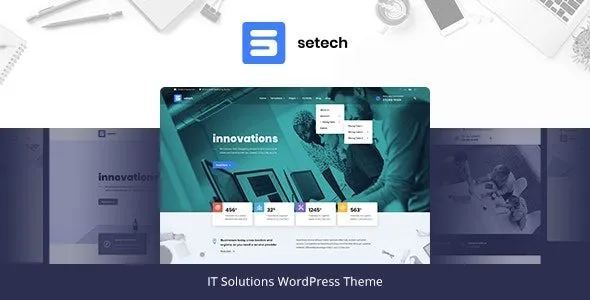









Reviews
There are no reviews yet.