Latest Version

Buy This Single Latest Version From Here

Selio – Real Estate Directory Elementor Template Kit
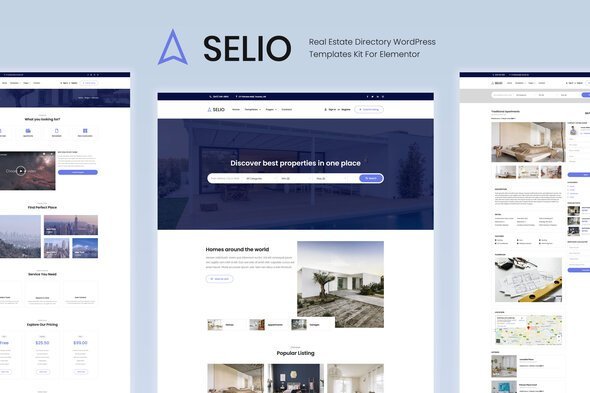
A modern Elementor template kit built for real estate agencies, property managers, and directory platforms. It includes pre‑built pages for home, about, property listings, agents, pricing, blogs, and contact sections, all optimized for responsiveness and mobile‑friendly performance. With clean layouts, global styles, and conversion‑focused elements like property showcases, agent profiles, search and filter sections, pricing tables, testimonials, and call‑to‑action blocks, Selio helps real estate businesses quickly launch professional, user‑friendly directory websites. Perfect for agencies, brokers, and property listing platforms.

Description

Selio – Real Estate Directory Elementor Template Kit for WordPress

Selio is a professional Elementor template kit crafted for real estate agencies, property listing platforms, and directory websites. It delivers clean, modern layouts that highlight property listings, agent profiles, pricing, and contact information. Built for WordPress, Selio makes it easy to launch a polished real estate directory site without coding.


🌐 Overview

  • Purpose: Build real estate directory and property listing websites with a user‑friendly, conversion‑focused design.
  • Audience: Real estate agencies, property managers, brokers, and directory operators.
  • Integration: Works seamlessly with WordPress and Elementor, requiring no extra premium plugins.

🔑 Key Features

  • Pre‑Built Pages: Includes home, about, property listings, agents, pricing, blog, and contact templates.
  • Property Listings: Showcase homes, apartments, and commercial properties with detailed descriptions and images.
  • Agent Profiles: Highlight real estate agents with bios, contact info, and social links.
  • Responsive & Mobile‑Friendly: Optimized for smooth performance across all devices.
  • Drag‑and‑Drop Editing: Easily customize layouts, colors, and content with Elementor.
  • Global Styles: Consistent typography and branding across all templates.
  • Search & Filter Sections: Help users find properties by location, type, or price.
  • Pricing Tables: Display membership or listing packages clearly.
  • Testimonials: Build trust with client feedback.
  • Blog Integration: Share updates, market insights, and property news.
  • Call‑to‑Action Blocks: Drive inquiries, sign‑ups, and conversions.

⚙️ How It Works

  1. Install & Activate: Add Selio via Template Kit Import.
  2. Import Templates: Load pre‑built layouts into your WordPress site.
  3. Customize Content: Replace demo text, images, and branding with your own.
  4. Publish: Quickly launch a professional real estate directory website.

📊 Comparison Table

Feature Standard Elementor Selio Template Kit
Property Listings Generic Tailored for real estate
Agent Profiles Manual setup Built‑in templates
Search & Filters Limited Dedicated sections
Conversion CTAs Basic Optimized for sign‑ups

⚠️ Considerations

  • Requires Elementor to be installed.
  • Content replacement is necessary to personalize demo layouts.
  • Integration with real estate plugins may be needed for advanced functionality, such as MLS or booking.

✅ Best For

  • Real estate agencies showcase property listings.
  • Property managers promoting rental or sales portfolios.
  • Directory operators building property listing platforms.
  • Agencies creating real estate websites for clients.

In short, Selio – Real Estate Directory Elementor Template Kit for WordPress delivers clean, responsive, and property‑focused layouts that help real estate businesses launch professional directory websites quickly and effectively.

Reviews

There are no reviews yet.

Only logged in customers who have purchased this product may leave a review.

🛠️ How to Install GPL Themes & Plugins from GPLFox.com


1. Download Your Theme or Plugin

  • Visit GPLFox.com and log in to your account.
  • Browse or search for the theme/plugin you want.
  • Click Download to get the .zip file onto your computer.

2. Install via WordPress Dashboard

  • Log in to your WordPress Admin Panel.
  • Go to:
    • ThemesAppearance > Themes > Add New > Upload Theme
    • PluginsPlugins > Add New > Upload Plugin
  • Click Upload, then select the .zip file you downloaded from GPLFox.
  • Press Install Now.

3. Activate the Theme or Plugin

  • Once installed, click Activate.
  • For themes: your site will immediately switch to the new design.
  • For plugins: the plugin will be enabled and ready to configure.

4. Configure Settings

  • Most premium themes/plugins include customization options.
  • Navigate to the theme’s Customizer or plugin’s Settings panel.
  • Adjust layouts, features, and integrations as needed.

5. Keep Files Updated

  • GPLFox provides updated versions regularly.
  • Re‑download the latest .zip from GPLFox and repeat the upload process to update your theme/plugin.

Tip for Users: Since GPL products don’t require license activation, you can use them right away after installation. Just make sure to keep them up to date for security and compatibility.

Need Hosting Solution ?