

Description
Online Exam Management – Education & Results Management for WordPress
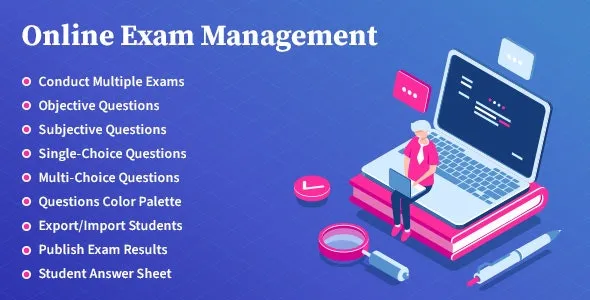
Online Exam Management is a comprehensive WordPress plugin designed for schools, colleges, training centres, and e‑learning platforms to conduct, manage, and evaluate online examinations. It streamlines the entire exam process—from question creation to results publishing—making digital assessments efficient, secure, and user‑friendly.
🌐 Overview
- Purpose: Simplify online exam creation, management, and results tracking.
- Audience: Educational institutions, training providers, and e‑learning businesses.
- Platform: WordPress + LMS/education sites.
🔑 Key Features
- Exam Creation: Build objective, subjective, or mixed‑type exams with customizable formats.
- Question Bank: Store and reuse questions with categories, tags, and difficulty levels.
- Timed Exams: Set duration, start/end times, and automatic submission.
- Randomisation: Shuffle questions and answers to prevent cheating.
- Student Management: Assign exams to specific classes, groups, or individuals.
- Result Calculation: Automatic grading for objective questions; manual evaluation for subjective answers.
- Detailed Reports: Generate performance analytics, scorecards, and downloadable results.
- Role‑based Access: Admins, teachers, and students get tailored dashboards.
- Secure Environment: Prevent multiple logins, restrict navigation, and monitor exam integrity.
- Integration Ready: Compatible with LMS plugins and WooCommerce for paid exams.
📊 Benefits
| Feature | Traditional Exams | Online Exam Management Plugin |
|---|---|---|
| Exam Setup | Manual, time‑consuming | Quick, automated creation |
| Student Access | In‑person only | Remote, flexible access |
| Result Processing | Delayed, manual | Instant, automated grading |
| Analytics | Limited | Detailed performance reports |
⚠️ Considerations
- Requires WordPress: Not standalone; must be installed on a WordPress site.
- Premium License: Advanced reporting and integrations may require the paid version.
- Setup Effort: Initial configuration of question banks and exam rules is necessary.
✅ Best For
- Schools & colleges are conducting digital exams.
- Training centers offering certification tests.
- E‑learning platforms manage online assessments.
- Corporate teams running employee skill evaluations.
In short, Online Exam Management is a powerful WordPress plugin that digitizes the exam process—making it easier to create, deliver, and evaluate online tests while ensuring accuracy, security, and efficiency.









Reviews
There are no reviews yet.