Latest Version

Buy This Single Latest Version From Here

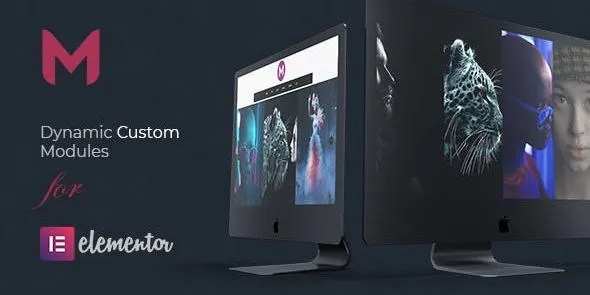
Modulify – Modules Addon for Elementor
A WordPress addon that extends Elementor with a library of ready‑made modules for faster, scalable website building. It offers customizable components like headings, buttons, pricing tables, testimonials, and galleries, all optimized for responsiveness and performance. With reusable templates, interactive effects, and full design control, Modulify helps agencies, designers, bloggers, and businesses create professional layouts quickly while maintaining brand consistency and workflow efficiency.

Description

Modulify – Modules Addon for Elementor

Modulify is a versatile WordPress addon for Elementor that provides a collection of ready‑made modules to enhance your website design and functionality. It empowers agencies, developers, bloggers, and businesses to build complex layouts quickly by combining modular elements, ensuring scalability, consistency, and creative flexibility.


🌐 Overview

  • Purpose: Extend Elementor with advanced modules for design and functionality.
  • Audience: Agencies, designers, developers, bloggers, and businesses.
  • Integration: Works seamlessly with Elementor’s drag‑and‑drop editor.

🔑 Key Features

  • Wide Range of Modules: Access pre‑built modules for headings, buttons, pricing tables, testimonials, image galleries, and more.
  • Customizable Design: Control typography, colors, spacing, and animations for each module.
  • Reusable Components: Save modules and reuse them across different pages for consistency.
  • Responsive Layouts: Optimized for mobile, tablet, and desktop.
  • Interactive Elements: Add hover effects, animations, and dynamic content.
  • Lightweight & Fast: Built for performance without slowing down your site.
  • Scalable Workflow: Ideal for creating modular templates and maintaining brand consistency.

⚙️ How It Works

  1. Install & Activate: Add Modulify to your WordPress site.
  2. Open Elementor: Access the new modules in the editor.
  3. Choose Module: Select from the library of pre‑built components.
  4. Customize: Adjust styling, content, and animations to fit your brand.
  5. Publish: Build professional, modular layouts quickly and efficiently.

📊 Comparison Table

Feature Default Elementor Modulify Addon
Pre‑built Modules Limited Extensive library
Reusable Components Basic Advanced reuse options
Animations Minimal Multiple interactive effects
Responsive Design Partial Fully optimized
Scalability Limited Modular workflow support

⚠️ Considerations

  • Requires Elementor: Works only with Elementor installed.
  • Manual Setup: Each module must be configured individually.
  • Premium License: Some advanced modules may be Pro‑only.

✅ Best For

  • Agencies & designers building scalable, branded layouts.
  • Businesses are creating professional websites with reusable modules.
  • Developers streamlining workflows with modular components.
  • Bloggers & e‑commerce stores are enhancing content presentation with advanced modules.

In short, Modulify – Modules Addon for Elementor provides a powerful library of modular components that make building professional, scalable, and responsive websites faster and easier.

Reviews

There are no reviews yet.

Only logged in customers who have purchased this product may leave a review.

🛠️ How to Install GPL Themes & Plugins from GPLFox.com


1. Download Your Theme or Plugin

  • Visit GPLFox.com and log in to your account.
  • Browse or search for the theme/plugin you want.
  • Click Download to get the .zip file onto your computer.

2. Install via WordPress Dashboard

  • Log in to your WordPress Admin Panel.
  • Go to:
    • ThemesAppearance > Themes > Add New > Upload Theme
    • PluginsPlugins > Add New > Upload Plugin
  • Click Upload, then select the .zip file you downloaded from GPLFox.
  • Press Install Now.

3. Activate the Theme or Plugin

  • Once installed, click Activate.
  • For themes: your site will immediately switch to the new design.
  • For plugins: the plugin will be enabled and ready to configure.

4. Configure Settings

  • Most premium themes/plugins include customization options.
  • Navigate to the theme’s Customizer or plugin’s Settings panel.
  • Adjust layouts, features, and integrations as needed.

5. Keep Files Updated

  • GPLFox provides updated versions regularly.
  • Re‑download the latest .zip from GPLFox and repeat the upload process to update your theme/plugin.

Tip for Users: Since GPL products don’t require license activation, you can use them right away after installation. Just make sure to keep them up to date for security and compatibility.

Need Hosting Solution ?