Description
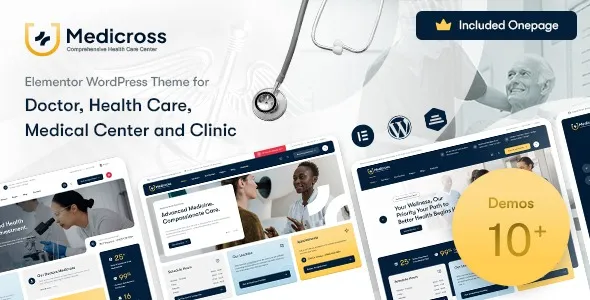
Medicross – Medical WordPress Theme is a clean, professional, and fully responsive WordPress theme designed for hospitals, clinics, doctors, dentists, and healthcare service providers. With its modern layouts, Elementor integration, and WooCommerce support, Medicross makes it easy to build a trustworthy online presence that highlights medical services, manages appointments, and engages patients effectively.
🩺 Key Features
- Healthcare‑Focused Design
Purpose‑built layouts tailored for hospitals, clinics, doctors, dentists, and medical professionals.
- Service Showcase
Highlight treatments, healthcare services, and specialties with elegant templates.
- Appointment Booking
Integrated tools to manage patient appointments, schedules, and inquiries seamlessly.
- WooCommerce Integration
Sell medical products, health packages, or consultation services with a smooth cart and checkout system.
- Elementor Page Builder
Drag‑and‑drop customization with Elementor for effortless design without coding.
- Responsive & Mobile‑Friendly
Optimized for desktops, tablets, and smartphones, ensuring smooth browsing experiences across all devices.
- One‑Click Demo Import
Quickly replicate demo designs and launch your medical website in minutes.
- Advanced Customization
Unlimited color schemes, flexible typography, and multiple header/footer styles to match your brand identity.
- Doctor & Team Profiles
Showcase medical staff, specialists, and healthcare teams with professional layouts.
- Blog & Content Options
Share health tips, medical updates, and patient resources with customizable blog layouts.
- SEO‑Friendly Structure
Clean code and optimized design to boost search engine visibility.
⚙️ Technical Highlights
- Compatible with WordPress 6+
- Built with Elementor for advanced customization
- WooCommerce‑ready for eCommerce functionality
- Retina‑ready and translation‑ready
- Lightweight and fast‑loading performance
- Includes documentation and regular updates
🎯 Why Choose Medicross?
Medicross is perfect for hospitals, clinics, doctors, dentists, and healthcare providers who want a professional, customizable, and patient‑focused WordPress theme. Its medical service layouts, appointment booking tools, WooCommerce integration, and responsive design make it a complete solution for building healthcare websites that inspire trust, improve patient engagement, and grow your practice.
Only logged in customers who have purchased this product may leave a review.











Reviews
There are no reviews yet.