Description
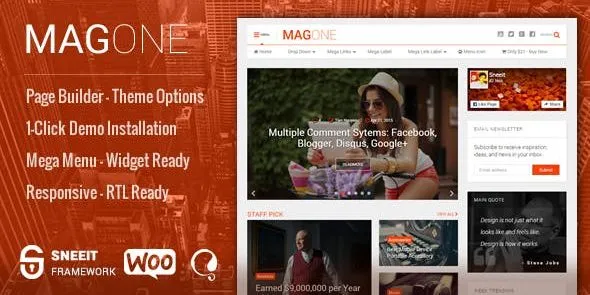
MagOne – Responsive Magazine & News WordPress Theme is a modern, flexible, and fully responsive WordPress theme designed for online magazines, news portals, blogs, and publishing websites. Built with drag‑and‑drop page builder support, MagOne makes it easy to create professional layouts without coding, while offering powerful customization options to fit any niche.
🌐 Overview
MagOne is a content‑focused WordPress theme tailored for publishers who want speed, style, and flexibility. With multiple prebuilt demos, customizable widgets, and advanced typography, it helps you build engaging news and magazine sites that stand out.
✨ Key Features
- Prebuilt Demos & Layouts
- Ready‑to‑use demos for news, magazine, blog, and niche publishing sites
- One‑click demo import for quick setup
- Multiple homepage and article layouts
- Design & Customization
- Drag‑and‑drop page builder for easy editing
- Unlimited color schemes, fonts, and background options
- Multiple header, footer, and sidebar styles
- Advanced typography controls
- Performance & Usability
- Responsive and retina‑ready design for mobile and desktop
- SEO‑optimized structure for higher search rankings
- Lightweight and optimized for speed
- Cross‑browser compatibility
- Content & Engagement Tools
- Custom widgets for trending posts, categories, and social media feeds
- Multiple article layouts with featured images and sliders
- Built‑in review system for product or content ratings
- Newsletter subscription and social sharing integration
- Monetization & Ads
- Ad management system with multiple placement options
- Google AdSense and banner ad support
- Optimized layouts for higher ad visibility
- Global Support
- Translation‑ready and WPML compatible
- RTL (Right‑to‑Left) language support
- Regular updates and developer support
🎯 Why Choose MagOne?
MagOne is more than just a theme—it’s a complete publishing solution. Its combination of ready‑made demos, drag‑and‑drop customization, SEO optimization, ad management, and multilingual readiness makes it perfect for bloggers, journalists, and publishers who want to build professional magazine or news websites quickly.
📌 Ideal Use Cases
- Online magazines and news portals
- Personal and professional blogs
- Niche publishing sites (tech, fashion, lifestyle, sports, etc.)
- Review and affiliate marketing websites
Only logged in customers who have purchased this product may leave a review.











Reviews
There are no reviews yet.