Download All Products Free With Any Membership Plan

Latest Version

LearnDash LMS – WordPress Plugin

Buy This Single Latest Version From Here

LearnDash LMS – WordPress Plugin
A premium WordPress learning management system that lets you create, manage, and sell online courses. With drag‑and‑drop course building, quizzes, certificates, drip‑feed lessons, WooCommerce integration, and advanced reporting, LearnDash is trusted by universities, businesses, and educators to deliver professional e‑learning experiences.

Description

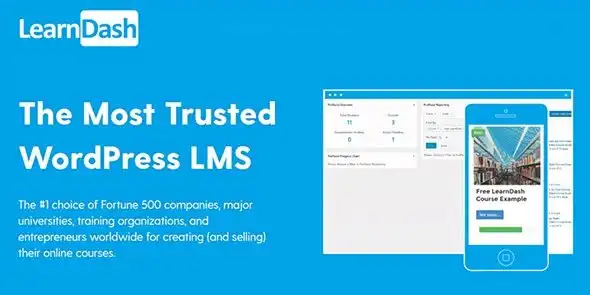
LearnDash LMS – WordPress Plugin is one of the most trusted WordPress plugins for creating, managing, and selling online courses. Used by universities, Fortune 500 companies, and professional educators, it offers advanced course-building, monetization, and learner-engagement tools—all within WordPress.


🌐 Overview

  • Purpose: Transform WordPress into a full learning management system (LMS).
  • Audience: Schools, universities, training centers, coaches, entrepreneurs, and corporate training teams.
  • Platform: WordPress with seamless integrations for e‑commerce, membership, and marketing tools.

🔑 Key Features

  • Course Builder: Drag‑and‑drop interface for lessons, topics, quizzes, and assignments.
  • Drip‑Feed Content: Schedule lessons over time to keep learners engaged.
  • Advanced Quizzing: Multiple question types, timers, randomized questions, and grading options.
  • Certificates & Badges: Award branded certificates and gamified badges for motivation.
  • Focus Mode: Distraction‑free learning environment with streamlined navigation.
  • Group Management: Organize learners into groups/sub‑groups for team teaching.
  • Assignments: Approve submissions, leave feedback, and award points.
  • E‑Commerce Integration: Sell courses via PayPal, Stripe, WooCommerce, 2Checkout, RazorPay, and more.
  • Recurring Revenue: Support for subscriptions, bundles, and coupons.
  • Notifications: Automated reminders for assignments, deadlines, and progress tracking.
  • Integrations: Works with WooCommerce, MemberPress, BuddyPress, Mailchimp, Zapier (300+ apps), and popular page builders.
  • Scalability: No limits on courses or students; optimized for large programs.

📊 Benefits

Feature Standard LMS Plugin LearnDash LMS
Course Builder Basic setup Advanced drag‑and‑drop builder
Quizzing Limited Timed, randomized, advanced grading
Certificates & Badges Not included Built‑in gamification tools
Monetization Manual WooCommerce + multiple gateways
Group Management Minimal Full team teaching & learner groups
Analytics Basic Detailed reporting & learner tracking

⚠️ Considerations

  • Premium License: LearnDash is a paid plugin (annual subscription).
  • Setup Time: Complex course structures may require initial configuration.
  • Hosting Requirements: Best performance with optimized WordPress hosting for large student bases.

✅ Best For

  • Universities & schools offering online programs.
  • Training centers delivering certifications and workshops.
  • Corporate teams managing employee training.
  • Coaches & consultants selling online courses.
  • Agencies building scalable e‑learning platforms for clients.

In short, LearnDash LMS is a robust, scalable, and feature‑rich WordPress plugin that empowers educators and businesses to deliver professional online learning experiences with advanced course creation, monetization, and learner engagement tools. LearnDash WP Engine

Reviews

There are no reviews yet.

Only logged in customers who have purchased this product may leave a review.

🛠️ How to Install GPL Themes & Plugins from GPLFox.com

1. Download Your Theme or Plugin

  • Visit GPLFox.com and log in to your account.
  • Browse or search for the theme/plugin you want.
  • Click Download to get the .zip file onto your computer.

2. Install via WordPress Dashboard

  • Log in to your WordPress Admin Panel.
  • Go to:
    • ThemesAppearance > Themes > Add New > Upload Theme
    • PluginsPlugins > Add New > Upload Plugin
  • Click Upload, then select the .zip file you downloaded from GPLFox.
  • Press Install Now.

3. Activate the Theme or Plugin

  • Once installed, click Activate.
  • For themes: your site will immediately switch to the new design.
  • For plugins: the plugin will be enabled and ready to configure.

4. Configure Settings

  • Most premium themes/plugins include customization options.
  • Navigate to the theme’s Customizer or plugin’s Settings panel.
  • Adjust layouts, features, and integrations as needed.

5. Keep Files Updated

  • GPLFox provides updated versions regularly.
  • Re‑download the latest .zip from GPLFox and repeat the upload process to update your theme/plugin.

Tip for Users: Since GPL products don’t require license activation, you can use them right away after installation. Just make sure to keep them up to date for security and compatibility.

Need Hosting Solution ?
Shopping cart0
There are no products in the cart!
Continue shopping
0







