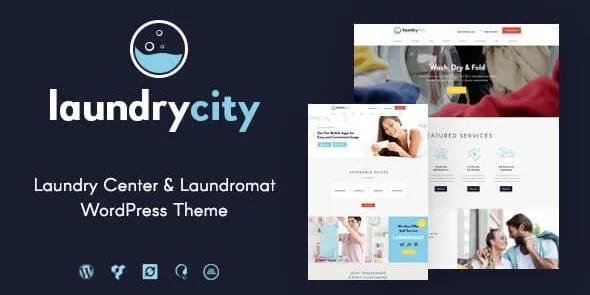
🧺 Laundry City – Dry Cleaning & Washing Services WordPress Theme
Laundry City is a professional WordPress theme tailored for laundries, dry cleaners, washing services, ironing shops, and household cleaning businesses. With its clean design, service-focused layouts, and powerful customization options, Laundry City provides everything you need to build a modern, customer-friendly website that promotes your services and grows your business online.
🌟 Key Features
- Service-Oriented Design
- Multiple homepage variations designed for laundry and cleaning businesses.
- Dedicated sections for services like dry cleaning, washing, ironing, and delivery.
- Pricing tables to clearly present packages and offers.
- Booking & Customer Tools
- Online booking forms for service scheduling.
- Contact Form 7 integration for inquiries and orders.
- Testimonials and client reviews to build trust and credibility.
- Portfolio & Showcase Options
- Image galleries to showcase facilities, staff, and before/after service results.
- Case study layouts for highlighting customer success stories.
- Blog layouts for sharing cleaning tips, service updates, and promotions.
- Customization & Flexibility
- Built with Elementor for drag-and-drop editing.
- WordPress Customizer integration for colors, fonts, and layouts.
- One-click demo import for instant setup.
- Widget-ready sidebars and footers for contact info, social links, and CTAs.
- Performance & Compatibility
- Fully responsive design for mobile, tablet, and desktop.
- Retina-ready visuals for crisp, high-resolution displays.
- WooCommerce integration for selling laundry packages, detergents, or subscription services.
- Translation-ready for multilingual websites.
⚡ Why Choose Laundry City?
Laundry City is more than just a theme—it’s a complete business solution for laundries and cleaning services. Its service-focused layouts, booking tools, and professional design make it ideal for businesses that want to attract customers, streamline orders, and grow their brand online.
📋 Quick Setup Checklist
- Install and activate Laundry City theme.
- Import demo content for a ready-made laundry services site.
- Customize colors, fonts, and layouts to match your brand.
- Add service details, pricing tables, and testimonials.
- Connect WooCommerce for online sales and Contact Form 7 for bookings.
- Launch your professional laundry & dry cleaning website.
🛠️ How to Install GPL Themes & Plugins from GPLFox.com
1. Download Your Theme or Plugin
- Visit GPLFox.com and log in to your account.
- Browse or search for the theme/plugin you want.
- Click Download to get the
.zip file onto your computer.
2. Install via WordPress Dashboard
- Log in to your WordPress Admin Panel.
- Go to:
- Themes → Appearance > Themes > Add New > Upload Theme
- Plugins → Plugins > Add New > Upload Plugin
- Click Upload, then select the
.zip file you downloaded from GPLFox. - Press Install Now.
3. Activate the Theme or Plugin
- Once installed, click Activate.
- For themes: your site will immediately switch to the new design.
- For plugins: the plugin will be enabled and ready to configure.
4. Configure Settings
- Most premium themes/plugins include customization options.
- Navigate to the theme’s Customizer or plugin’s Settings panel.
- Adjust layouts, features, and integrations as needed.
5. Keep Files Updated
- GPLFox provides updated versions regularly.
- Re‑download the latest
.zip from GPLFox and repeat the upload process to update your theme/plugin.
✅ Tip for Users: Since GPL products don’t require license activation, you can use them right away after installation. Just make sure to keep them up to date for security and compatibility.