JetFormBuilder PDF Attachment for WordPress
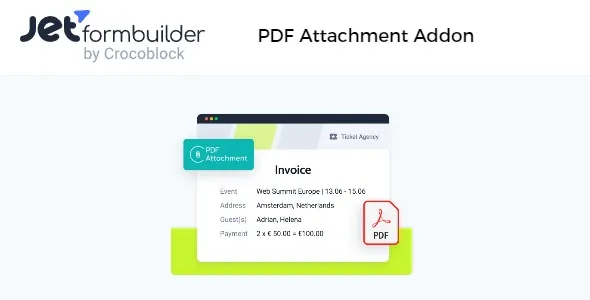
A premium addon that automatically generates and attaches PDF files to JetFormBuilder form submissions. It allows you to design customizable templates with dynamic field values, branding elements, and conditional logic, then send them as email attachments or store them with entries. Perfect for invoices, receipts, contracts, certificates, or confirmations, this addon streamlines documentation workflows and ensures professional, consistent communication directly within WordPress.
JetFormBuilder PDF Attachment is a premium addon that automatically generates and attaches PDF files to JetFormBuilder form submissions. This feature is perfect for businesses, agencies, and educators who need to provide users with receipts, confirmations, contracts, or other customized documents immediately after a form is submitted. By automating PDF creation and delivery, it saves time, ensures consistency, and enhances professionalism.
🌐 Overview
Purpose: Generate and send PDF attachments with JetFormBuilder form submissions.
Audience: Businesses, agencies, educators, and service providers needing automated documentation.
Integration: Works seamlessly with JetFormBuilder’s Gutenberg‑based form builder.
🔑 Key Features
Automatic PDF Generation: Create PDFs instantly from form submissions.
Customizable Templates: Design PDF layouts with dynamic field values.
Email Attachments: Send generated PDFs as attachments in confirmation emails.
Data Mapping: Insert form field data directly into PDF content.
Branding Support: Add logos, headers, and footers for professional documents.
Conditional Logic: Generate PDFs only when specific conditions are met.
Secure Storage: Save PDFs with form entries for record keeping.
Responsive Design: Ensure PDFs are accessible across devices.
Developer Friendly: Extend workflows with hooks and custom integrations.
⚙️ How It Works
Install & Activate: Add the PDF Attachment addon to your WordPress site.
Create Form: Build a form in Gutenberg using JetFormBuilder.
Configure PDF Template: Define layout, branding, and dynamic field mapping.
Set Email Rules: Attach PDFs to confirmation or admin emails.
Publish Form: Users submit the form and receive a PDF instantly.
📊 Comparison Table
Feature
JetFormBuilder Alone
With PDF Attachment Addon
PDF Generation
No
Yes
Email Attachments
No
Yes
Custom Templates
No
Yes
Data Mapping
Limited
Full support
⚠️ Considerations
Requires JetFormBuilder: Must be installed and active.
Template Setup: Careful design ensures professional output.
Legal Use: Ensure compliance when using PDFs for contracts or agreements.
✅ Best For
Businesses sending invoices or receipts.
Agencies delivering signed contracts or proposals.
Educators provide certificates or confirmations.
Service providers offering booking confirmations or policies.
In short, JetFormBuilder PDF Attachment for WordPress automates the creation and delivery of professional, branded PDF documents from form submissions, streamlining workflows and enhancing user trust.
Reviews
There are no reviews yet.
Only logged in customers who have purchased this product may leave a review.
🛠️ How to Install GPL Themes & Plugins from GPLFox.com
Click Upload, then select the .zip file you downloaded from GPLFox.
Press Install Now.
3. Activate the Theme or Plugin
Once installed, click Activate.
For themes: your site will immediately switch to the new design.
For plugins: the plugin will be enabled and ready to configure.
4. Configure Settings
Most premium themes/plugins include customization options.
Navigate to the theme’s Customizer or plugin’s Settings panel.
Adjust layouts, features, and integrations as needed.
5. Keep Files Updated
GPLFox provides updated versions regularly.
Re‑download the latest .zip from GPLFox and repeat the upload process to update your theme/plugin.
✅ Tip for Users: Since GPL products don’t require license activation, you can use them right away after installation. Just make sure to keep them up to date for security and compatibility.











Reviews
There are no reviews yet.