Description
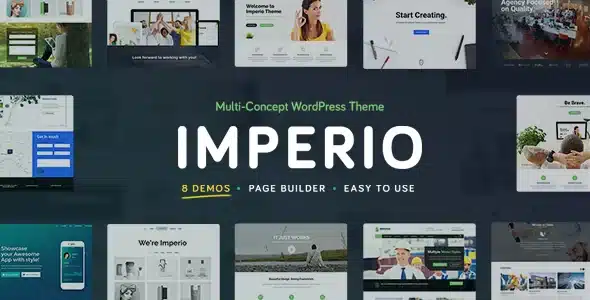
Imperio – Business, E‑Commerce, Portfolio & Photography WordPress Theme is a powerful, multi‑purpose WordPress theme designed for businesses, creative agencies, photographers, and online shops. With its modern layouts, flexible customization options, and robust e‑commerce integration, Imperio helps you build a professional website that showcases your brand, portfolio, and products with style and efficiency.
📰 Overview
Imperio is a multi‑concept WordPress solution that blends sleek design with advanced functionality. It offers multiple homepage demos, customizable portfolio layouts, and WooCommerce support, making it ideal for professionals who want to display, sell, or promote their work and services online. Its responsive design ensures your site looks flawless across desktops, tablets, and smartphones.
✨ Key Features
- Business & Corporate Tools
- Professional homepage demos tailored for companies and agencies
- Service showcase sections and team member profiles
- Built‑in contact and booking forms for client inquiries
- Portfolio & Photography Features
- Elegant gallery layouts: grid, masonry, carousel, and fullscreen
- Multimedia support for images and videos
- Retina‑ready visuals for crisp, high‑quality display
- E‑Commerce Integration
- WooCommerce compatibility for selling products, prints, or digital downloads
- Product showcase pages with customizable layouts
- Shopping cart and checkout functionality
- Customization Options
- Built with Visual Composer (WPBakery) for drag‑and‑drop editing
- Unlimited color schemes and typography controls
- Flexible header, footer, and menu layouts
- One‑click demo import for quick setup
- Performance & Compatibility
- Optimized for speed and responsive across all devices
- Compatible with WordPress 6.x and PHP 8.x
- Lightweight code for faster loading times
- SEO & Global Support
- SEO‑friendly structure for higher search engine rankings
- Translation‑ready and WPML compatible
- RTL (Right‑to‑Left) language support for global accessibility
🎯 Why Choose Imperio?
Imperio is more than just a theme—it’s a complete business and creative ecosystem. Its combination of corporate layouts, customizable portfolios, WooCommerce integration, SEO optimization, and multilingual readiness makes it perfect for companies, agencies, photographers, and entrepreneurs aiming to build a professional online presence.
📌 Ideal Use Cases
- Business websites and corporate agencies
- Creative portfolios for designers, photographers, and freelancers
- Online shops selling physical or digital products
- Studios offering photography, videography, or design services
- Blogs and content creators promoting industry insights
Only logged in customers who have purchased this product may leave a review.











Reviews
There are no reviews yet.