Description
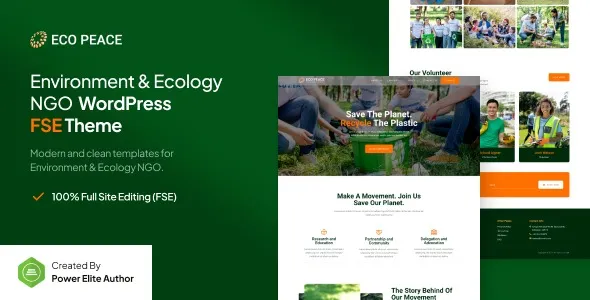
EcoPeace – Environment & Ecology NGO FSE WordPress Theme is a clean, responsive, and eco‑friendly WordPress theme designed for environmental NGOs, ecology projects, non‑profits, charities, and sustainability initiatives. Built with the latest Full Site Editing (FSE) technology, EcoPeace gives you complete control over your website’s design, making it the perfect solution for promoting campaigns, raising awareness, and engaging supporters.
🌍 Key Features
- Eco‑Focused Design
Purpose‑built layouts tailored for environmental organizations, NGOs, charities, and sustainability projects.
- Full Site Editing (FSE)
Customize headers, footers, templates, and blocks with WordPress’s modern FSE tools for total flexibility.
- Campaign & Project Showcase
Highlight environmental initiatives, ecology projects, and fundraising campaigns with elegant templates.
- Donation & WooCommerce Integration
Accept donations, sell eco‑friendly products, or manage memberships with seamless WooCommerce support.
- Responsive & Mobile‑Friendly
Optimized for desktops, tablets, and smartphones, ensuring smooth browsing experiences everywhere.
- One‑Click Demo Import
Launch your NGO or environmental website quickly by importing ready‑made demo layouts.
- Advanced Customization
Unlimited color schemes, flexible typography, and multiple header/footer styles to match your brand identity.
- Team & Volunteer Profiles
Showcase staff, volunteers, and eco‑activists with professional profile layouts.
- Blog & Content Options
Share sustainability tips, environmental news, and project updates with customizable blog layouts.
- SEO‑Friendly Structure
Clean code and optimized design to boost search engine visibility.
⚙️ Technical Highlights
- Compatible with WordPress 6+
- Built with Full Site Editing (FSE) for advanced customization
- WooCommerce‑ready for donations and eCommerce functionality
- Retina‑ready and translation‑ready
- Lightweight and fast‑loading performance
- Includes documentation and regular updates
🎯 Why Choose EcoPeace?
EcoPeace is perfect for environmental NGOs, charities, non‑profits, and sustainability projects who want a professional, customizable, and eco‑focused WordPress theme. Its FSE customization, donation tools, WooCommerce integration, and responsive design make it a complete solution for building websites that inspire action, raise awareness, and support environmental causes.
Only logged in customers who have purchased this product may leave a review.











Reviews
There are no reviews yet.