

Description
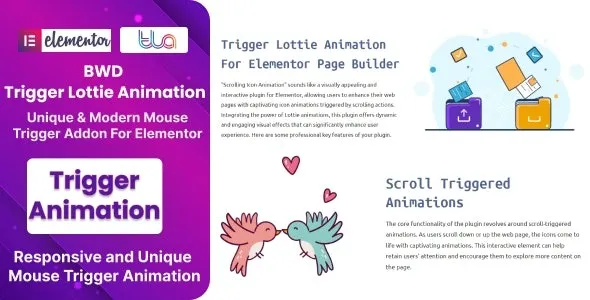
BWD Trigger Lottie Animation – Addon for Elementor
BWD Trigger Lottie Animation is a powerful WordPress addon for Elementor that lets you integrate and control Lottie animations with advanced trigger options. Designed for agencies, businesses, and creative professionals, it allows you to add lightweight, scalable animations that respond to user interactions, scroll events, or hover actions—bringing websites to life with engaging motion graphics.
🌐 Overview
- Purpose: Add and control Lottie animations with interactive triggers.
- Audience: Agencies, freelancers, businesses, bloggers, and e‑commerce sites.
- Integration: Works seamlessly with Elementor and supports JSON‑based Lottie files.
🔑 Key Features
- Lottie Animation Support: Easily embed JSON‑based Lottie animations.
- Trigger Options: Control animations via scroll, hover, click, or viewport visibility.
- Playback Controls: Set loop, autoplay, speed, and direction.
- Customizable Styling: Adjust size, positioning, and alignment for perfect integration.
- Interactive Animations: Engage users with responsive motion graphics.
- Responsive Design: Optimized for mobile, tablet, and desktop.
- Lightweight Performance: Vector‑based animations that load fast without slowing down your site.
- Creative Use Cases: Perfect for hero sections, call‑to‑action areas, product highlights, and storytelling visuals.
⚙️ How It Works
- Install & Activate: Add the addon to your WordPress site.
- Open Elementor: Access the Trigger Lottie Animation widget.
- Upload Animation: Insert a Lottie JSON file.
- Set Triggers: Choose scroll, hover, click, or viewport options.
- Customize Playback: Adjust speed, loop, and direction.
- Publish: Display interactive animations that respond to user actions.
📊 Comparison Table
| Feature | Default Elementor | BWD Trigger Lottie Animation |
|---|---|---|
| Lottie Support | No | Yes |
| Trigger Options | Limited | Scroll, hover, click, viewport |
| Playback Controls | Minimal | Full customization |
| Responsive Design | Partial | Fully optimized |
⚠️ Considerations
- Requires Elementor: Works only with Elementor installed.
- Animation Files: Needs valid Lottie JSON files.
- Design Balance: Best used for key visuals, not excessive animations.
✅ Best For
- Agencies & freelancers creating interactive websites.
- Businesses are adding motion graphics to highlight products or services.
- E‑commerce stores are enhancing product showcases with engaging animations.
- Bloggers & creators designing modern, animated storytelling sections.
In short, BWD Trigger Lottie Animation for Elementor is a versatile add-on that lets you add interactive, lightweight, and customizable Lottie animations—perfect for creating engaging, modern websites with motion‑driven experiences.









Reviews
There are no reviews yet.