

Description
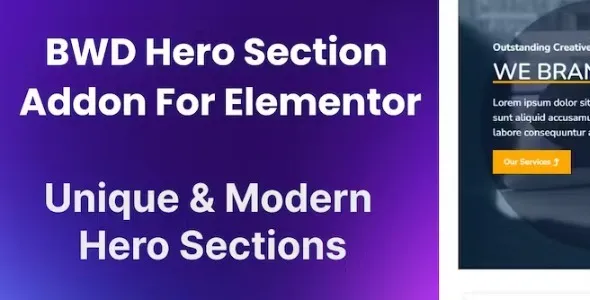
BWD Hero Section – Addon for Elementor
BWD Hero Section is a creative WordPress addon for Elementor that allows you to design stunning, customizable hero sections to make a powerful first impression on your website. With modern layouts, dynamic effects, and flexible styling options, it’s perfect for agencies, businesses, bloggers, and e‑commerce stores that want to highlight their brand, products, or services in a visually engaging way.
🌐 Overview
- Purpose: Create eye‑catching hero sections for websites.
- Audience: Agencies, freelancers, businesses, bloggers, and online shops.
- Integration: Works seamlessly with Elementor’s drag‑and‑drop editor.
🔑 Key Features
- Multiple Hero Layouts: Choose from modern, creative, and professional designs.
- Customizable Content: Add titles, subtitles, descriptions, buttons, and images.
- Background Options: Use solid colors, gradients, images, or videos.
- Dynamic Effects: Parallax scrolling, hover animations, and interactive elements.
- Flexible Styling: Control typography, spacing, alignment, and overlay effects.
- Call‑to‑Action Support: Add buttons or links to drive conversions.
- Responsive Design: Optimized for mobile, tablet, and desktop.
- Lightweight Performance: Stylish hero sections without slowing down your site.
- Creative Use Cases: Perfect for landing pages, product launches, portfolios, and promotional campaigns.
⚙️ How It Works
- Install & Activate: Add the addon to your WordPress site.
- Open Elementor: Access the Hero Section widget.
- Add Content: Insert headings, text, buttons, and visuals.
- Choose Layout: Select from multiple hero section styles.
- Customize Styling: Adjust fonts, colors, backgrounds, and animations.
- Publish: Display a professional hero section on your site.
📊 Comparison Table
| Feature | Default Elementor | BWD Hero Section |
|---|---|---|
| Hero Layouts | Limited | Multiple creative options |
| Background Effects | Basic | Advanced images, gradients, videos |
| Animations | Minimal | Parallax & hover transitions |
| Responsive Design | Partial | Fully optimized |
⚠️ Considerations
- Requires Elementor: Works only with Elementor installed.
- Design Balance: Best used for impactful first impressions, not excessive clutter.
✅ Best For
- Agencies & freelancers designing modern landing pages.
- Businesses & e‑commerce stores showcasing products or services.
- Bloggers & creators highlighting personal branding or featured content.
- Event organizers promoting launches, conferences, or campaigns.
In short, BWD Hero Section for Elementor is a versatile addon that helps you design stunning, customizable hero sections—ideal for creating impactful first impressions and driving engagement on any website.










Reviews
There are no reviews yet.