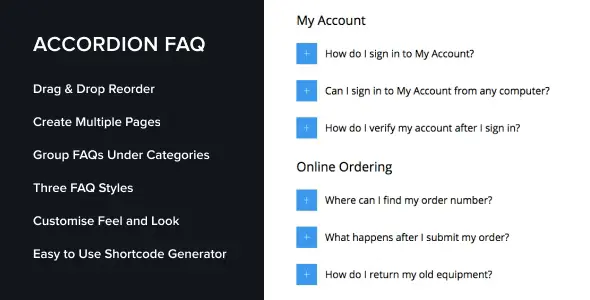
Accordion FAQ WordPress Plugin provides a simple way to create responsive FAQ sections with expandable accordion layouts, helping reduce support requests and improve user experience. It’s lightweight, customizable, and works seamlessly with Gutenberg, Elementor, and shortcodes.
🌐 Overview
- Purpose: Add FAQ sections or knowledge bases to WordPress sites.
- Audience: Bloggers, businesses, eCommerce stores, and service providers needing structured FAQs.
- Integration: Compatible with Gutenberg blocks, Elementor, and shortcodes.
- Design: Accordion-style layout that adapts to any device.
🔑 Key Features
- Unlimited FAQs: Create as many entries, categories, and tags as you need.
- Accordion Layout: Expand/collapse design for clean presentation.
- Easy Embedding: Use Gutenberg blocks, Elementor, or shortcodes to place FAQs anywhere.
- Responsive Design: Automatically adapts to mobile, tablet, and desktop.
- Translation Ready: Includes a
.pot file for localization.
- SEO Friendly: Structured content improves search visibility.
- Custom Styling: Adjust colors, icons, and layouts to match branding.
⚙️ How It Works
- Install Plugin: Activate Accordion FAQ in WordPress.
- Add FAQs: Create questions and answers, organize them into categories.
- Embed FAQs: Insert via Gutenberg block, Elementor widget, or shortcode.
- Customize: Adjust accordion styles, icons, and colors.
- Publish: Visitors can expand/collapse questions for quick answers.
📊 Comparison Table
| Feature |
Accordion FAQ Plugin |
Default WordPress |
| FAQ Layout |
Accordion (expand/collapse) |
None |
| Unlimited Entries |
Yes |
No |
| Embedding Options |
Blocks, Elementor, shortcodes |
Limited |
| Responsive Design |
Yes |
Theme-dependent |
| Translation Support |
Yes |
No |
⚠️ Considerations & Limitations
- Basic Styling: Advanced customization may require knowledge of CSS.
- Content Focused: Designed for FAQs, not general content layouts.
- Premium Features: Some advanced options may be available only in Pro versions.
✅ Best For
- Businesses need customer support FAQs.
- eCommerce stores answering product-related queries.
- Service providers offering quick troubleshooting guides.
- Blogs organize common reader questions.
In short, Accordion FAQ WordPress Plugin is a lightweight, responsive solution for creating expandable FAQ sections that improve usability, reduce support load, and enhance site professionalism.
🛠️ How to Install GPL Themes & Plugins from GPLFox.com
1. Download Your Theme or Plugin
- Visit GPLFox.com and log in to your account.
- Browse or search for the theme/plugin you want.
- Click Download to get the
.zip file onto your computer.
2. Install via WordPress Dashboard
- Log in to your WordPress Admin Panel.
- Go to:
- Themes → Appearance > Themes > Add New > Upload Theme
- Plugins → Plugins > Add New > Upload Plugin
- Click Upload, then select the
.zip file you downloaded from GPLFox. - Press Install Now.
3. Activate the Theme or Plugin
- Once installed, click Activate.
- For themes: your site will immediately switch to the new design.
- For plugins: the plugin will be enabled and ready to configure.
4. Configure Settings
- Most premium themes/plugins include customization options.
- Navigate to the theme’s Customizer or plugin’s Settings panel.
- Adjust layouts, features, and integrations as needed.
5. Keep Files Updated
- GPLFox provides updated versions regularly.
- Re‑download the latest
.zip from GPLFox and repeat the upload process to update your theme/plugin.
✅ Tip for Users: Since GPL products don’t require license activation, you can use them right away after installation. Just make sure to keep them up to date for security and compatibility.