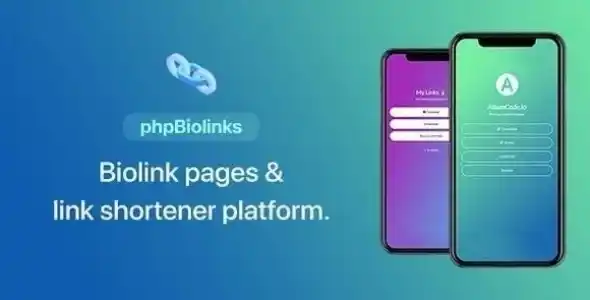
66biolinks is a powerful SaaS platform that combines bio link pages, URL shortening, and QR code generation into one solution. It’s designed for creators, businesses, and agencies to manage branded links, track analytics, and build customizable landing pages—all from a single account. 66biolinks.com
🌐 Overview
- Purpose: Provide a self-hosted SaaS tool for bio links, short URLs, and QR codes.
- Audience: Influencers, marketers, agencies, and SaaS providers needing branded link management.
- Developer: AltumCode (trusted by 25,000+ customers).
- Core Functions: Bio link pages, advanced URL shortener, QR code generator, and analytics.
🔑 Key Features
- Unlimited Bio Link Pages: Create multiple landing pages per account.
- Customizable Templates & Themes: Choose from modern designs or build your own.
- Embeds: Add YouTube, Spotify, Twitch, TikTok, Vimeo, and SoundCloud directly into bio pages.
- Advanced URL Shortener: Create branded short links with analytics (click tracking, referrer data, geo stats).
- Dynamic File Links: Upload files and share via trackable short links with access control.
- Dynamic vCard Links: Share contact details instantly via QR code or short link.
- QR Code Generator: Create scannable codes for links, events, or contact info.
- AI Landing Page Builder: Generate optimized bio-link pages with AI assistance.
- 126+ Web Tools: Includes calculators, converters, and utilities for added value.
⚙️ How It Works
- Sign Up: Create an account on the 66biolinks SaaS platform.
- Build Bio Pages: Use drag-and-drop blocks to design personalized landing pages.
- Shorten URLs: Generate branded short links with analytics tracking.
- Create QR Codes: Produce scannable codes for campaigns, events, or contact sharing.
- Track Analytics: Monitor clicks, traffic sources, and user behavior in real time.
📊 Comparison Table
| Feature |
66biolinks SaaS |
Standard Link-in-Bio Tools |
| Bio Link Pages |
Unlimited, customizable |
Limited, basic templates |
| URL Shortener |
Advanced with analytics |
Basic, no tracking |
| QR Code Generator |
Built-in, dynamic |
Often missing |
| Embeds |
YouTube, TikTok, Spotify, etc. |
Limited or none |
| AI Page Builder |
Yes |
Rare |
| Web Tools |
126+ utilities |
None |
⚠️ Considerations & Limitations
- Paid SaaS: Requires purchase/license, not free.
- Self-Hosted Option: Can be deployed as SaaS for reselling.
- Learning Curve: Advanced features may require setup time.
✅ Best For
- Influencers & creators needing branded bio link pages.
- Agencies managing multiple client campaigns.
- Businesses are running marketing campaigns with QR codes and short links.
- SaaS providers offering link management as a service.
In short, 66biolinks is more than just a bio link tool—it’s a full SaaS platform for branded links, analytics, and QR codes, giving businesses and creators complete control over their digital presence.
🛠️ How to Install GPL Themes & Plugins from GPLFox.com
1. Download Your Theme or Plugin
- Visit GPLFox.com and log in to your account.
- Browse or search for the theme/plugin you want.
- Click Download to get the
.zip file onto your computer.
2. Install via WordPress Dashboard
- Log in to your WordPress Admin Panel.
- Go to:
- Themes → Appearance > Themes > Add New > Upload Theme
- Plugins → Plugins > Add New > Upload Plugin
- Click Upload, then select the
.zip file you downloaded from GPLFox. - Press Install Now.
3. Activate the Theme or Plugin
- Once installed, click Activate.
- For themes: your site will immediately switch to the new design.
- For plugins: the plugin will be enabled and ready to configure.
4. Configure Settings
- Most premium themes/plugins include customization options.
- Navigate to the theme’s Customizer or plugin’s Settings panel.
- Adjust layouts, features, and integrations as needed.
5. Keep Files Updated
- GPLFox provides updated versions regularly.
- Re‑download the latest
.zip from GPLFox and repeat the upload process to update your theme/plugin.
✅ Tip for Users: Since GPL products don’t require license activation, you can use them right away after installation. Just make sure to keep them up to date for security and compatibility.