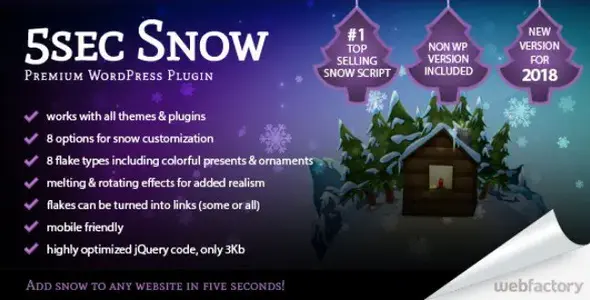
5sec Snow is a lightweight WordPress plugin that adds customizable animated snowfall effects to your website, perfect for holiday seasons, winter promotions, or festive events. It’s performance‑friendly, mobile‑ready, and works with any theme without slowing down your site.
🌐 Overview
- Purpose: Create festive, animated snow effects on WordPress sites.
- Audience: Bloggers, businesses, and site owners wanting seasonal decoration.
- Compatibility: Works with all WordPress themes and is responsive across devices.
🔑 Key Features
- One‑Click Setup: Enable snow effects instantly on your site.
- Customizable Styles: Choose from classic flakes, symbols, or custom images.
- Advanced Controls: Adjust flake size, speed, quantity, and opacity.
- Seasonal Scheduling: Set start/stop dates to automatically activate holidays.
- Performance Optimized: GPU‑accelerated animations ensure smooth rendering.
- Mobile Ready: Touch‑friendly and responsive across devices.
- No jQuery Required: Built with clean, modern JavaScript.
- Multiple Effects: Includes options like melting, rotation, and background adaptation.
⚙️ How It Works
- Install Plugin: Upload and activate 5sec Snow in WordPress.
- Configure Settings: Select snowflake style, density, and animation effects.
- Apply Globally or Locally: Enable on the entire site or specific pages/posts.
- Schedule: Define seasonal start and end dates for automatic activation.
- Publish: Visitors see animated snow effects without performance issues.
📊 Comparison Table
| Feature |
5sec Snow Plugin |
Standard WordPress Theme |
| Snow Effects |
Yes (customizable) |
No |
| Seasonal Scheduling |
Yes |
No |
| Performance Optimized |
GPU acceleration |
N/A |
| Mobile Support |
Responsive, touch‑friendly |
Theme dependent |
| Customization |
Flake size, speed, icons |
None |
⚠️ Considerations & Limitations
- Paid Plugin: Available as a premium plugin, though bundled in some download packages.
- Seasonal Use: Best suited for holidays or winter campaigns, not year‑round.
- Design Fit: Works best on sites with festive or promotional themes.
✅ Best For
- E‑commerce stores are running holiday sales.
- Blogs are adding a festive atmosphere.
- Corporate sites celebrating seasonal events.
- Event organizers promoting winter or holiday activities.
In short, 5sec Snow is a simple yet powerful way to add festive snowfall effects to your WordPress site, with full customization, seasonal scheduling, and smooth performance across devices.
🛠️ How to Install GPL Themes & Plugins from GPLFox.com
1. Download Your Theme or Plugin
- Visit GPLFox.com and log in to your account.
- Browse or search for the theme/plugin you want.
- Click Download to get the
.zip file onto your computer.
2. Install via WordPress Dashboard
- Log in to your WordPress Admin Panel.
- Go to:
- Themes → Appearance > Themes > Add New > Upload Theme
- Plugins → Plugins > Add New > Upload Plugin
- Click Upload, then select the
.zip file you downloaded from GPLFox. - Press Install Now.
3. Activate the Theme or Plugin
- Once installed, click Activate.
- For themes: your site will immediately switch to the new design.
- For plugins: the plugin will be enabled and ready to configure.
4. Configure Settings
- Most premium themes/plugins include customization options.
- Navigate to the theme’s Customizer or plugin’s Settings panel.
- Adjust layouts, features, and integrations as needed.
5. Keep Files Updated
- GPLFox provides updated versions regularly.
- Re‑download the latest
.zip from GPLFox and repeat the upload process to update your theme/plugin.
✅ Tip for Users: Since GPL products don’t require license activation, you can use them right away after installation. Just make sure to keep them up to date for security and compatibility.

 1 × $2.99