

Description
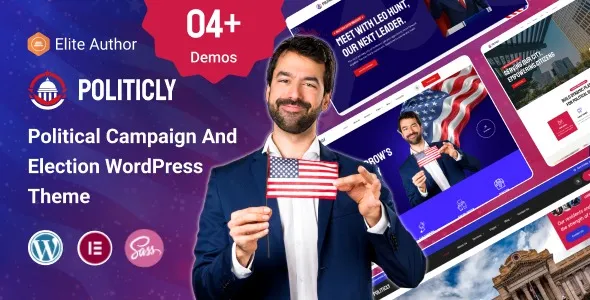
Politicly Political WordPress Theme is designed for modern campaigns, municipalities, and nonprofit organizations that want to build professional websites. As a Political Campaign WordPress Theme, it offers layouts for candidates, missions, and events. With Elementor political theme integration, customization is simple and flexible, while its responsive political WordPress theme design ensures smooth performance across devices. Politicly also supports city government WordPress theme projects, making it ideal for municipalities, community leaders, and nonprofit WordPress theme initiatives.
🌐 Overview
- Theme Name: Politicly – Political Campaign & City Government WordPress Theme
- Developer: wowtheme7
- Category: Political & Government WordPress Theme
- Best For: Political campaigns, election candidates, city governments, municipalities, nonprofit movements, community leaders, and public service agencies
🎯 Key Features
- Campaign & Candidate Support
- Hero banners, candidate introduction sections, mission statements
- Donation systems and volunteer registration forms
- Government & Municipal Layouts
- Public service showcases, community project sections, event calendars
- Structured design for transparency and communication
- Elementor Integration
- Drag‑and‑drop customization with flexible layouts
- Pre‑built pages for campaigns, events, blogs, and contact forms
- WooCommerce & Donation Ready
- Collect donations online securely
- Sell campaign merchandise or memberships
- Responsive & SEO Optimized
- Mobile‑friendly, retina‑ready design
- Fast loading, RankMath compatible
- Community Engagement Tools
- Testimonials, blog sections, call‑to‑action banners
- Social media integration for outreach
📊 Feature Highlights
| Feature | Politicly Theme Benefits |
|---|---|
| Campaign Layouts | Showcase candidates, missions, and events |
| Government Pages | Municipal services, transparency, community projects |
| Customization | Elementor drag‑and‑drop builder |
| Donations & Merch | WooCommerce integration |
| SEO Optimization | Clean, semantic coding |
| Responsive Design | Mobile‑first, retina‑ready |
| Community Tools | Volunteer forms, testimonials, blogs |
👥 Who Should Use Politicly Election Candidate WordPress Theme?
- Political Campaigns & Candidates – Share updates, collect donations, and engage voters.
- City Governments & Municipalities – Promote services, events, and community projects.
- Nonprofit & Social Organizations – Build awareness and encourage participation.
- Community Leaders & Public Agencies – Strengthen communication and transparency.
⚠️ Considerations & Trade‑offs
- Setup Complexity: Campaign and government layouts may require initial configuration.
- Donation Gateways: Ensure international payment options are properly integrated.
- Customization: Elementor simplifies design, but advanced civic functions may need plugins.
Politicly – Political Campaign & City Government WordPress Theme is a modern, professional, and SEO‑optimized theme built for political campaigns, election candidates, city governments, municipalities, and nonprofit organizations. It combines responsive layouts, donation systems, event management, and Elementor customization to help leaders and organizations establish trust and communicate effectively. thememarkets.com














Reviews
There are no reviews yet.