

Description
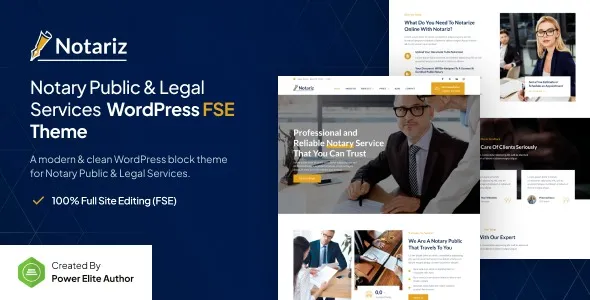
The Notariz Notary & Legal Services WordPress Theme is a law firm WordPress theme designed for attorneys, legal consultants, and corporate service providers. As a notary WordPress theme, it offers layouts for contracts, legal documentation, and client services. With legal services WordPress theme features, Notariz supports appointment booking, consultation forms, and case study pages. Its WooCommerce legal theme integration allows professionals to offer paid services and document packages online. Built as a responsive legal WordPress theme, Notariz ensures smooth performance across devices, while being an SEO optimized WordPress theme helps maximize visibility. Full Site Editing (FSE) compatibility makes customization simple, making it a powerful choice for modern legal websites.
🌐 Overview
- Theme Name: Notariz – Notary Public & Legal Services FSE WordPress Theme
- Category: Legal / Professional Services WordPress Theme
- Best For: Notary publics, law firms, attorneys, legal consultants, and corporate service providers
🎯 Key Features
- Legal Service Layouts
- Pre‑built templates for notary services, legal consultations, and contracts
- Case study and practice area sections
- Full Site Editing (FSE)
- Gutenberg block‑based customization for headers, footers, and templates
- Flexible design control without coding
- Appointment & Contact Tools
- Booking forms for consultations and notary services
- Integrated contact forms for client inquiries
- WooCommerce Integration
- Offer paid legal services, document packages, or consultations online
- Secure payment gateways and service catalogs
- Responsive & SEO Optimized
- Mobile‑friendly, retina‑ready design
- RankMath compatible for higher search visibility
- Professional Branding
- Typography and color schemes suited for legal businesses
- Clean, corporate‑style layouts for credibility
- Multilingual Support
- WPML compatibility for international clients
- RTL support for diverse languages
📊 Feature Highlights
| Feature | Notariz Benefits |
|---|---|
| Legal Layouts | Notary services, law firm pages |
| Full Site Editing (FSE) | Gutenberg block customization |
| Appointments | Booking forms & client contact |
| WooCommerce Ready | Sell legal services online |
| Responsive Design | Mobile‑friendly, retina‑ready |
| SEO Optimization | RankMath compatible |
| Professional Branding | Corporate typography & layouts |
| Multilingual Support | WPML & RTL ready |
👥 Who Should Use Notariz?
- Notary Publics – Present services and manage appointments.
- Law Firms – Showcase practice areas and legal expertise.
- Attorneys & Consultants – Offer consultations and paid services online.
- Corporate Service Providers – Build credibility with professional layouts.
⚠️ Considerations & Trade‑offs
- Setup Complexity: FSE customization may require Gutenberg familiarity.
- Plugin Dependencies: WooCommerce and booking plugins needed for full functionality.
- Customization Depth: Advanced workflows may need add‑ons.
Notariz – Notary Public & Legal Services FSE WordPress Theme is a professional, full‑site editing (FSE) theme tailored for notaries, law firms, attorneys, and legal service providers. It combines modern design with functional layouts to help professionals build trust, manage appointments, and present legal services effectively online.









Reviews
There are no reviews yet.