
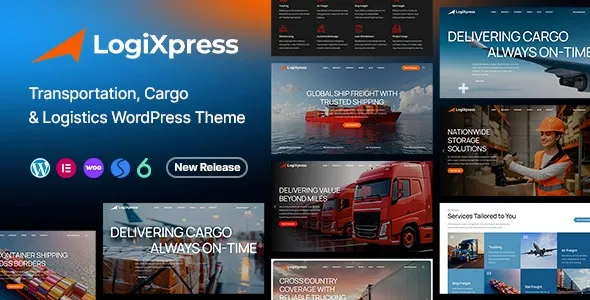

Description
The LogiXpress – Transportation, Cargo & Logistics WordPress Theme from GPL Fox is a modern logistics WordPress theme designed for cargo services, freight forwarders, and shipping companies. As a transport business WordPress theme, it offers responsive layouts and customizable templates to highlight services and operations. Agencies benefit from its functionality as a freight forwarding WordPress theme that supports quotes, service listings, and client management.
With WooCommerce integration, it works as a WordPress shipping company theme that enables online bookings and payments. Designers can rely on it as a logistics WordPress template that adapts seamlessly to all devices. Optimized for speed, it is also an SEO optimized WordPress theme that boosts visibility. Overall, the LogiXpress WordPress Theme is the smart solution for logistics businesses aiming to expand their digital presence.
🎯 Key Features
- Logistics‑Focused Layouts – Dedicated service pages for cargo, shipping, and courier solutions.
- WooCommerce Integration – Sell logistics packages or transport services online.
- Elementor Page Builder – Drag‑and‑drop customization with logistics‑focused widgets.
- Portfolio & Case Studies – Highlight completed projects and client collaborations.
- Responsive & Retina‑Ready – Mobile‑friendly design for all devices.
- SEO Optimized – RankMath compatible with schema markup for higher visibility.
- Multilingual Support – WPML and RTL compatibility for international clients.
📊 Feature Highlights
| Feature | LogiXpress Benefits |
|---|---|
| Transport Layouts | Showcase cargo, shipping & courier services |
| WooCommerce Ready | Sell logistics packages online |
| Portfolio Pages | Highlight projects & case studies |
| Customization | Elementor drag‑and‑drop builder |
| Responsive Design | Mobile‑friendly, retina‑ready |
| SEO Optimization | RankMath compatible |
| Multilingual Support | WPML & RTL ready |
👥 Who Should Use LogiXpress?
- Logistics Companies – Present freight and shipping services.
- Cargo Providers – Showcase courier and delivery solutions.
- Freight Forwarders – Manage quotes and client requests online.
- Global Shipping Firms – Build credibility with portfolios and case studies.
⚠️ Considerations & Trade‑offs
- Setup Complexity: WooCommerce setup required for service sales.
- Plugin Dependencies: Elementor and WPML needed for full customization.
- Customization Depth: Advanced branding may need add‑ons.
✅ Final Takeaway
LogiXpress – Transportation, Cargo & Logistics WordPress Theme is a professional, responsive solution designed for logistics companies, cargo services, freight forwarders, and global shipping providers. Built with modern layouts, WooCommerce integration, and Elementor customization, LogiXpress helps transport brands showcase services, manage operations, and attract clients worldwide.









Reviews
There are no reviews yet.