

Description
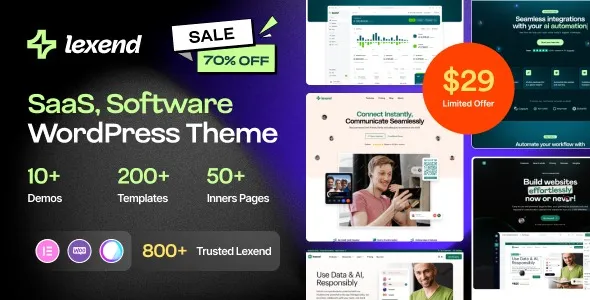
The Lexend WordPress Theme is a SaaS WordPress theme designed for startups, software companies, and digital agencies. As a startup WordPress theme, it provides conversion‑focused landing pages with sections for product features, pricing tables, and testimonials. Built with Elementor, this app landing page WordPress theme offers drag‑and‑drop customization for flexible layouts. With WooCommerce SaaS theme integration, businesses can sell subscriptions, services, or digital products seamlessly. As a responsive startup WordPress theme, Lexend ensures mobile‑friendly performance, while being an SEO optimized SaaS theme helps boost visibility in search engines. Perfect for professional software companies and digital agencies, Lexend delivers a modern, scalable, and customer‑focused solution. Available exclusively at GPLFox.
🌐 Overview
- Theme Name: Lexend – Software, SaaS & Startup WordPress Theme
- Category: SaaS / Software / Startup WordPress Theme
- Best For: SaaS platforms, software developers, startups, app creators, and digital agencies
🎯 Key Features
- Conversion‑Optimized Layouts
- Landing pages tailored for SaaS and startups
- Sections for product features, pricing tables, testimonials, and FAQs
- Elementor Customization
- Drag‑and‑drop builder with creative widgets
- Flexible layouts for branding and marketing campaigns
- WooCommerce Integration
- Sell subscriptions, digital products, or services online
- Secure payment gateways and catalog support
- Responsive & SEO Optimized
- Mobile‑friendly, retina‑ready design
- RankMath compatibility for higher search visibility
- Marketing Tools
- Newsletter integration with MailChimp
- Call‑to‑action buttons and lead capture forms
- Multilingual Support
- WPML compatibility for global reach
- RTL support for diverse languages
📊 Feature Highlights
| Feature | Lexend Benefits |
|---|---|
| Landing Page Layouts | Optimized for SaaS & startups |
| Customization | Elementor drag‑and‑drop builder |
| WooCommerce Ready | Sell subscriptions & digital products |
| Responsive Design | Mobile‑friendly, retina‑ready |
| SEO Optimization | RankMath compatible |
| Marketing Tools | Newsletter & lead capture |
| Multilingual Support | WPML & RTL compatibility |
👥 Who Should Use Lexend?
- SaaS Companies – Showcase product features and drive sign‑ups.
- Startups – Build professional landing pages for apps or services.
- Software Developers – Present applications with pricing and testimonials.
- Digital Agencies – Create conversion‑focused campaigns for clients.
- Tech Businesses – Strengthen online presence with modern design.
⚠️ Considerations & Trade‑offs
- Plugin Dependencies: Elementor and WooCommerce are required for full functionality.
- Customization Depth: Advanced layouts may need add‑ons for unique designs.
Lexend – Software, SaaS & Startup WordPress Theme is a sleek and professional theme crafted for SaaS platforms, software companies, startups, and digital agencies. It blends modern design with conversion‑focused features to help businesses showcase products, services, and applications effectively while driving sign‑ups and sales.









Reviews
There are no reviews yet.