

Description
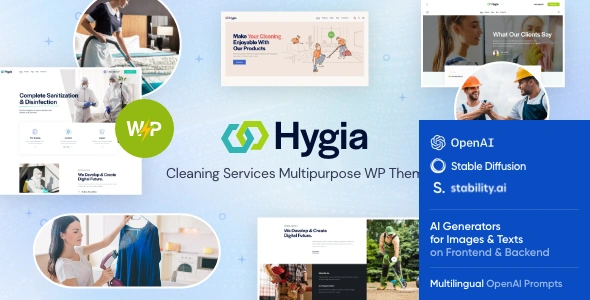
Hygia Cleaning Services WordPress Theme is a powerful cleaning company WordPress theme designed for agencies and service providers. As a housekeeping WordPress theme, it offers ready‑made layouts for home cleaning and maid services. With facility management WordPress theme features, Hygia supports commercial cleaning and maintenance solutions.
The janitorial services WordPress theme design ensures professional presentation for corporate contracts, while the maid/helper services WordPress theme layouts highlight residential cleaning packages. Integrated with WooCommerce, Hygia functions as a WooCommerce cleaning theme, enabling providers to sell packages and subscriptions online. Its responsive cleaning WordPress theme structure ensures smooth performance across devices, while being an SEO optimized service WordPress theme helps maximize visibility. Built with Elementor, Hygia is also an Elementor cleaning theme, making customization simple and effective.
🌐 Overview
- Theme Name: Hygia – Cleaning Services WordPress Theme
- Developer: ThemeMove
- Category: Service Business WordPress Theme
- Best For: Cleaning agencies, housekeeping services, janitorial companies, facility management, and home service providers
🎯 Key Features
- Service‑Focused Layouts
- Pre‑built demos for cleaning, housekeeping, and maintenance services
- Service detail pages with pricing tables and booking forms
- Elementor Page Builder
- Drag‑and‑drop customization with ready‑made widgets
- Flexible layouts for service showcases and portfolios
- WooCommerce Integration
- Sell cleaning packages, supplies, or subscription services online
- Secure payment gateways and product catalog support
- Responsive & SEO Optimized
- Mobile‑friendly design with retina‑ready visuals
- RankMath compatible for higher search visibility
- Booking & Contact Tools
- Online appointment booking system
- Contact Form 7 integration for lead generation
- Multilingual & Translation Ready
- WPML compatibility for global service providers
- RTL support for diverse languages
📊 Feature Highlights
| Feature | Hygia Benefits |
|---|---|
| Cleaning Service Layouts | Ready‑made demos for agencies |
| Customization | Elementor drag‑and‑drop builder |
| WooCommerce Ready | Sell packages, supplies, subscriptions |
| Responsive Design | Mobile‑friendly, retina‑ready |
| SEO Optimization | RankMath compatible, fast loading |
| Booking Tools | Appointment scheduling & contact forms |
| Multilingual Support | WPML & RTL compatibility |
👥 Who Should Use Hygia?
- Cleaning Agencies – Showcase services and pricing packages.
- Housekeeping Services – Offer home cleaning and maid services.
- Janitorial Companies – Manage commercial cleaning contracts.
- Facility Management Firms – Provide maintenance and cleaning solutions.
- Home Service Providers – Build trust with professional, SEO‑optimized websites.
⚠️ Considerations & Trade‑offs
- Setup Complexity: Booking features may require plugin configuration.
- Plugin Dependencies: Some advanced functions rely on third‑party plugins.
- Customization Depth: Elementor simplifies design, but advanced service workflows may need add‑ons.
Hygia – Cleaning Services WordPress Theme is a modern, professional solution tailored for cleaning companies, housekeeping services, and facility management businesses. It combines responsive design, WooCommerce integration, and Elementor customization to deliver a polished, SEO‑optimized website for service providers.









Reviews
There are no reviews yet.