

Description
Gravity Forms Tooltips – Jetsloth
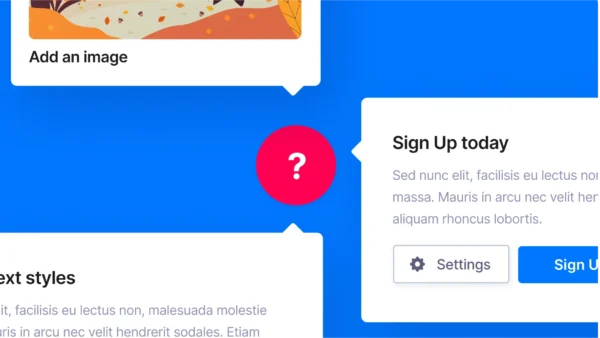
A premium add-on that enhances Gravity Forms by adding customizable tooltips to form fields, giving users extra guidance, explanations, or context without cluttering the form layout. It improves usability, reduces confusion, and helps increase form completion rates by providing on-demand information exactly where it’s needed.
🌐 Overview
- Purpose: Provide inline help and guidance via tooltips in Gravity Forms.
- Developer: Jetsloth (specialised in Gravity Forms enhancements).
- Audience: Businesses, agencies, and designers who want cleaner, more user-friendly forms.
🔑 Key Features
- Custom Tooltips: Add tooltips to any field to explain options or provide extra details.
- Flexible Placement: Choose where tooltips appear (next to labels, inputs, or icons).
- Custom Icons: Replace default tooltip icons with your own branded graphics.
- Styling Options: Control colours, sizes, and positioning to match your site’s design.
- Mobile-Friendly: Responsive tooltips that work seamlessly across devices.
- Improved UX: Reduce user errors by clarifying instructions without cluttering the form.
⚙️ How It Works
- Install Plugin: Activate Tooltips by Jetsloth.
- Add Tooltip Content: Enter explanatory text or HTML for any field.
- Customise Appearance: Adjust icon style, placement, and tooltip design.
- Publish Form: Users see helpful tooltips whether they hover over or tap icons.
📊 Comparison Table
| Feature | Tooltips (Jetsloth) | Standard Gravity Forms |
|---|---|---|
| Inline Help | Tooltips with icons/text | Field descriptions only |
| Customization | Full styling & icons | Limited |
| User Experience | Cleaner, interactive | Static text blocks |
| Mobile Support | Responsive tooltips | Basic descriptions |
⚠️ Considerations & Limitations
- Paid Add-On: Requires purchase from Jetsloth.
- Not bundled with Gravity Forms license: Sold separately.
- Design effort: Best results require thoughtful tooltip placement and styling.
✅ Best For
- E-commerce sites explaining product options or pricing.
- Application forms clarifying complex fields.
- Surveys and polls provide extra context for questions.
- Agencies designing branded, user-friendly forms.
In short, Jetsloth’s Tooltips add-on makes Gravity Forms smarter and more user-friendly by adding contextual help exactly where users need it—boosting clarity, reducing errors, and improving completion rates.









Reviews
There are no reviews yet.