
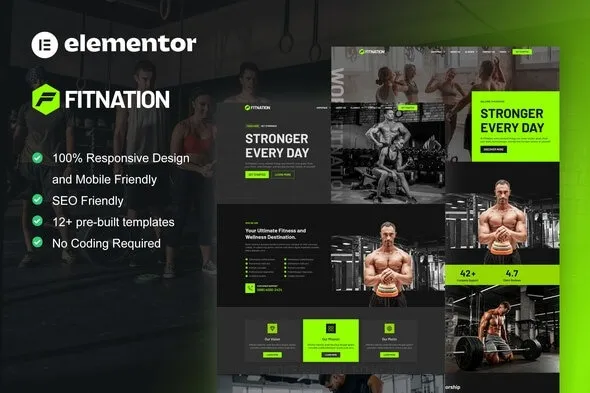

Description
The FitNation Gym & Fitness Elementor Template Kit is a powerful gym WordPress template designed for fitness centers, trainers, and wellness clubs. This fitness Elementor template kit includes ready‑made layouts for classes, schedules, and membership plans. With WooCommerce support, the personal trainer WordPress theme enables online sales of supplements, gear, and subscriptions. Fully responsive and retina‑ready, the responsive gym WordPress theme ensures seamless performance across devices. As an SEO optimized fitness WordPress theme, FitNation helps boost visibility and attract new clients. Whether you need a health & wellness WordPress template or a modern gym website theme, FitNation delivers the complete solution for building a professional fitness website.
🌐 Overview
- Template Kit Name: FitNation – Gym & Fitness Elementor Template Kit
- Category: Fitness / Gym / Wellness WordPress Template Kit
- Best For: Gyms, fitness centers, personal trainers, wellness clubs, and health businesses
🎯 Key Features
- Fitness‑Focused Layouts
- Pre‑built pages for classes, trainers, schedules, and memberships
- Stylish landing pages for promotions and events
- Elementor Integration
- Full support for Elementor page builder
- Drag‑and‑drop customization for unique fitness websites
- WooCommerce Ready
- Sell memberships, supplements, and fitness products online
- Secure payment gateways and product grids
- Responsive & SEO Optimized
- Mobile‑friendly, retina‑ready design
- RankMath compatibility for higher search visibility
- Performance Focused
- Lightweight coding for fast loading speeds
- Optimized for Google Core Web Vitals
- Community & Engagement
- Blog layouts for fitness tips and nutrition advice
- Success story sections to inspire clients
📊 Feature Highlights
| Feature | FitNation Benefits |
|---|---|
| Fitness Layouts | Classes, trainers, schedules, memberships |
| Customization | Elementor drag‑and‑drop builder |
| WooCommerce Ready | Sell memberships & fitness products |
| Responsive Design | Mobile‑friendly, retina‑ready |
| SEO Optimization | RankMath compatible |
| Performance | Lightweight, fast loading |
| Community Engagement | Blog & success story sections |
👥 Who Should Use FitNation?
- Gyms & Fitness Centers – Showcase classes, trainers, and memberships.
- Personal Trainers – Build professional portfolios and client programs.
- Wellness Clubs – Present holistic health services and packages.
- E‑Commerce Fitness Stores – Sell supplements, gear, and memberships.
- Health Businesses – Share fitness blogs, nutrition tips, and success stories.
⚠️ Considerations & Trade‑offs
- Setup Complexity: Advanced customization may require Elementor knowledge.
- Plugin Dependencies: WooCommerce is needed for full e‑commerce functionality.
- Design Depth: Highly unique designs may need extra Elementor add‑ons.
FitNation – Gym & Fitness Elementor Template Kit for WordPress is a powerful, modern kit designed for gyms, fitness centers, personal trainers, and wellness clubs. Built with Elementor, it provides drag‑and‑drop customization, ready‑made layouts, and WooCommerce integration to help fitness businesses create professional websites with ease.









Reviews
There are no reviews yet.