

Description
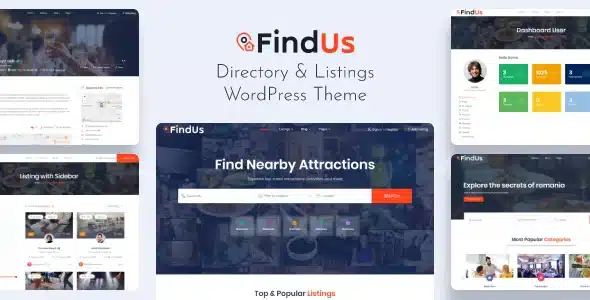
The Findus Directory Listing WordPress Theme is a business directory WordPress theme designed for city guides, service listings, and real estate platforms. As a directory WordPress theme, it offers advanced search filters, Google Maps integration, and review systems to enhance user experience. With WooCommerce directory theme features, Findus supports paid listings, memberships, and secure transactions. Its responsive directory WordPress theme design ensures smooth performance across devices, while being an SEO optimized WordPress theme helps maximize visibility. Built with Elementor, Findus provides flexible customization for listing layouts, business profiles, and city guide websites, making it a powerful choice for modern directory platforms.
🌐 Overview
- Theme Name: Findus – Directory Listing WordPress Theme
- Category: Directory & Listing WordPress Theme
- Best For: Business directories, city guides, service listings, real estate, and community platforms
🎯 Key Features
- Advanced Directory System
- Listing management with categories, filters, and tags
- Google Maps integration for location‑based searches
- User dashboards for managing listings and profiles
- Monetization Options
- Paid listings, memberships, and subscription models
- WooCommerce integration for secure transactions
- Elementor Customization
- Drag‑and‑drop builder with directory‑focused widgets
- Flexible layouts for homepages, listings, and detail pages
- Responsive & SEO Optimized
- Mobile‑friendly, retina‑ready design
- RankMath compatible for higher search visibility
- Community Features
- Review and rating system for listings
- Messaging and communication tools for users
- Multilingual Support
- WPML compatibility for global reach
- RTL support for diverse languages
📊 Feature Highlights
| Feature | Findus Benefits |
|---|---|
| Directory Listings | Manage businesses, services, and guides |
| Map Integration | Location‑based searches with Google Maps |
| Monetization | Paid listings & memberships |
| Customization | Elementor drag‑and‑drop builder |
| Responsive Design | Mobile‑friendly, retina‑ready |
| SEO Optimization | RankMath compatible |
| Community Tools | Reviews, ratings, messaging |
| Multilingual Support | WPML & RTL ready |
👥 Who Should Use Findus?
- Business Directories – Showcase companies and services.
- City Guides – Highlight attractions, restaurants, and local businesses.
- Service Providers – Build listing platforms for freelancers and agencies.
- Real Estate Listings – Present properties with maps and filters.
- Community Platforms – Create interactive hubs with reviews and ratings.
⚠️ Considerations & Trade‑offs
- Setup Complexity: Directory features may require initial configuration.
- Plugin Dependencies: Elementor, WooCommerce, and WPML needed for full functionality.
- Customization Depth: Advanced directory functions may need add‑ons.
Findus – Directory Listing WordPress Theme is a modern and versatile theme built for creating professional directory and listing websites. It’s designed to help businesses, city guides, service providers, and communities showcase listings with advanced search, map integration, and monetization options.









Reviews
There are no reviews yet.