
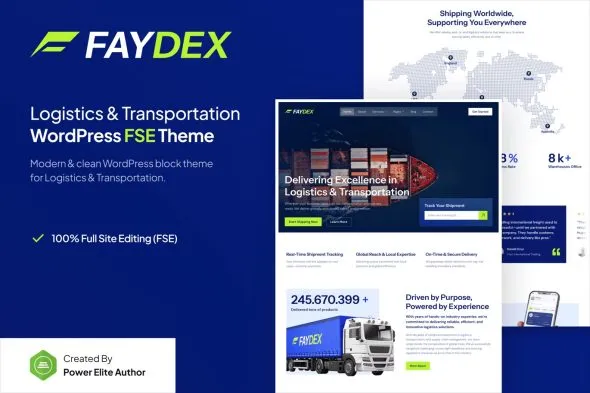

Description
Faydex Logistics Transportation WordPress Theme GPL is a premium digital product available at GPLFox, designed for logistics firms, cargo services, and transportation businesses.
🌟 Purchase Faydex Logistics Transportation WordPress Theme GPL at GPLFox
1. Logistics & Transport Essentials
- Service Pages: Highlight logistics, cargo, warehousing, and transportation solutions.
- Fleet Showcase: Present trucks, ships, and transport vehicles with detailed information.
- Project & Case Studies: Share successful deliveries and client partnerships.
- Pricing Tables: Display service packages, shipping rates, and logistics plans clearly.
2. Design & Customization Tools
- Modern Corporate Layouts: Clean, professional designs tailored for logistics firms.
- Drag-and-Drop Editing: Easy customization with WordPress blocks and page builder support.
- Prebuilt Templates: Ready-to-use homepage and inner page designs for transport businesses.
- Theme Options Panel: Adjust fonts, colors, and layouts to match your brand identity.
3. User Experience Enhancements
- Responsive & Retina Ready: Optimized for flawless performance across mobile, tablet, and desktop.
- SEO-Friendly Structure: Built-in optimization for better search engine visibility.
- Fast Loading Speeds: Lightweight design ensures smooth browsing and conversions.
- Cross-Browser Compatibility: Works seamlessly across all major browsers.
4. Extra Functionalities
- One-Click Demo Import: Quickly set up your site with sample content.
- Blog Integration: Share industry insights, company updates, or logistics tips.
- Contact & Inquiry Forms: Enable direct communication with potential clients.
- Social Media Integration: Connect your logistics brand with audiences across platforms.
📊 Premium Benefits of Faydex GPL Theme for Transport Websites
| Feature | Benefit |
|---|---|
| Service Pages | Showcase logistics and transport solutions |
| Fleet Showcase | Highlight trucks, ships & vehicles |
| Project Case Studies | Build trust with successful deliveries |
| Pricing Tables | Present service packages attractively |
| Responsive Design | Works perfectly on all devices |
| SEO-Friendly | Better visibility on Google |
| One-Click Demo Import | Instant setup with sample content |
🌟 Why Buy Faydex Logistics Transportation WordPress Theme GPL?
Faydex is more than just a WordPress theme—it’s a complete solution for logistics and transportation businesses. With its service-focused layouts, fleet showcases, and professional design, it empowers companies to build a strong online presence. Whether you’re a trucking company, freight forwarder, or global logistics provider, Faydex delivers the flexibility, speed, and professionalism you need to impress clients and expand your operations.









Reviews
There are no reviews yet.