

Description
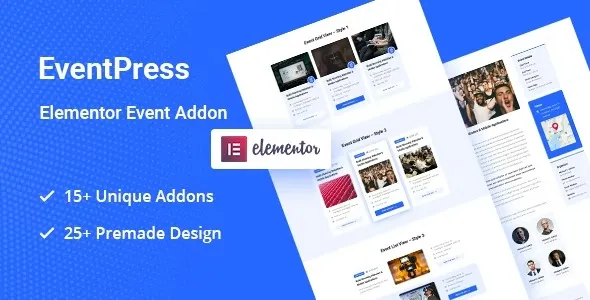
The EventPress Elementor Events Addon at GPL Fox is a dynamic WordPress event management plugin that makes event promotion simple and stylish. With this Elementor events addon, organizers can build responsive event listing WordPress layouts that showcase dates, venues, and speakers. It supports event booking WordPress addon features, countdown timers, and interactive maps for better engagement. Ideal for conference theme WordPress addon setups, concert event WordPress plugin promotions, and workshop event WordPress extension use cases, EventPress is lightweight, customizable, and an SEO-friendly event plugin that ensures your events stand out online.
📖 Addon Overview
- Name: EventPress – Elementor Events Addon
- Platform: WordPress (Elementor)
- Audience: Event organizers, agencies, community managers, businesses
- Category: Events / Elementor Addon
🚀 Key Features
- Event Listings: Create attractive event cards and grids.
- Customizable Layouts: Style events with Elementor’s drag‑and‑drop builder.
- Event Details: Display date, time, venue, and organizer info.
- Countdown Timers: Add urgency with live countdowns.
- Responsive Design: Optimized for mobile, tablet, and desktop.
- SEO‑Friendly: Structured for better visibility in search engines.
- Interactive Elements: Include maps, booking links, and social sharing.
- One‑Click Setup: Easy installation and integration with Elementor.
🛠️ Use Cases
- Conference Websites: Showcase schedules and speaker details.
- Concerts & Festivals: Promote upcoming shows with countdowns.
- Workshops & Classes: Highlight training sessions and registration info.
- Community Events: Share local gatherings and meetups.
- Corporate Events: Present seminars, product launches, and networking events.
📊 Comparison Snapshot
| Feature | EventPress Addon | Generic Event Plugin |
|---|---|---|
| Elementor Integration | ✅ Full | ⚪ Limited |
| Custom Layouts | ✅ Flexible | ⚪ Basic |
| Countdown Timers | ✅ Included | ⚪ Absent |
| SEO Optimization | ✅ Strong | ⚪ Standard |
| Responsive Design | ✅ Mobile Ready | ⚪ Partial |
⚠️ Considerations
- Plugin Dependency: Requires Elementor installed.
- GPL Version: Available at GPL Fox without official developer support.
- Niche Focus: Best for event‑driven websites.
✅ Recommendation
EventPress – Elementor Events Addon is a versatile WordPress extension designed to simplify event management and presentation. Built specifically for Elementor, it empowers users to create stylish, responsive, and SEO‑friendly event listings without coding. Perfect for conferences, concerts, workshops, or community gatherings, EventPress helps organizers showcase events with modern layouts and interactive features.
If you want to create stylish, responsive, and SEO‑friendly event listings in Elementor, the EventPress Addon at GPL Fox is the perfect solution. It’s ideal for organizers in Dhaka or globally who want to promote conferences, concerts, workshops, and community events with modern layouts and interactive features.









Reviews
There are no reviews yet.