

Description
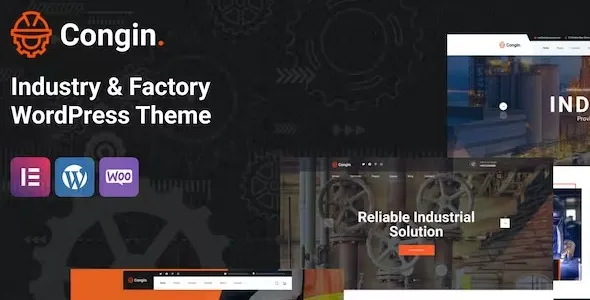
The Congin Industry & Factory WordPress Theme is a manufacturing WordPress theme designed for factories, industrial companies, and engineering firms. As an industry WordPress theme, it offers layouts for service pages, project showcases, and case studies. With WooCommerce industry theme features, Congin supports secure online sales of industrial products, spare parts, and services. Its responsive factory WordPress theme design ensures smooth performance across devices, while being an SEO optimized WordPress theme helps maximize visibility. Built with Elementor, Congin provides flexible customization for branding, portfolios, and construction business websites, making it a powerful choice for industrial and manufacturing sectors.
🌐 Overview
- Theme Name: Congin – Industry & Factory WordPress Theme
- Category: Industry / Manufacturing / Factory WordPress Theme
- Best For: Factories, industrial companies, manufacturers, engineering firms, and construction services
🎯 Key Features
- Industry‑Focused Layouts
- Service pages for manufacturing, engineering, and industrial solutions
- Project showcases and case study sections
- WooCommerce Integration
- Sell industrial products, spare parts, or services online
- Secure payment gateways and catalog support
- Elementor Page Builder
- Drag‑and‑drop customization with factory‑focused widgets
- Flexible layouts for branding and service presentations
- Portfolio & Case Studies
- Highlight completed projects and industrial achievements
- Showcase client collaborations and engineering expertise
- Responsive & SEO Optimized
- Mobile‑friendly, retina‑ready design
- RankMath compatible for higher search visibility
- Multilingual Support
- WPML compatibility for international clients
- RTL support for diverse languages
📊 Feature Highlights
| Feature | Congin Benefits |
|---|---|
| Industry Layouts | Showcase factory & manufacturing services |
| WooCommerce Ready | Sell industrial products online |
| Portfolio Pages | Highlight projects & case studies |
| Customization | Elementor drag‑and‑drop builder |
| Responsive Design | Mobile‑friendly, retina‑ready |
| SEO Optimization | RankMath compatible |
| Multilingual Support | WPML & RTL ready |
👥 Who Should Use Congin?
- Factories & Manufacturers – Present products and production services.
- Industrial Companies – Showcase engineering and manufacturing solutions.
- Construction Firms – Highlight projects and industrial achievements.
- Engineering Services – Build credibility with portfolios and case studies.
⚠️ Considerations & Trade‑offs
- Setup Complexity: WooCommerce setup required for product sales.
- Plugin Dependencies: Elementor and WPML needed for full customization.
- Customization Depth: Advanced branding may need add‑ons.
Congin – Industry & Factory WordPress Theme is a robust and professional theme designed for factories, industrial companies, manufacturing plants, and engineering services. It blends modern design with industry‑specific functionality, making it ideal for showcasing services, managing projects, and building credibility in the industrial sector.









Reviews
There are no reviews yet.