

Description
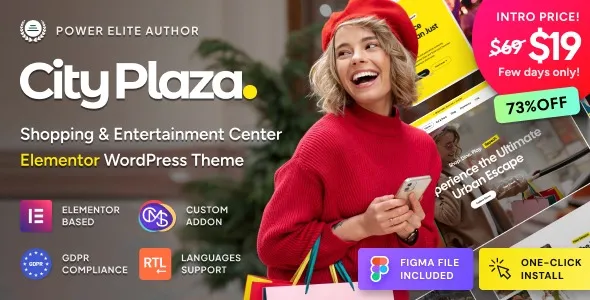
The City Plaza Entertainment Center & Shopping Mall WordPress Theme at GPL Fox is a dynamic solution for malls, retail centers, and lifestyle hubs. This shopping mall WordPress theme is designed to showcase shops, restaurants, and entertainment facilities with modern layouts. Whether you need an entertainment center WordPress template or a retail WordPress design, City Plaza delivers flexibility and style. Businesses can benefit from its lifestyle hub WordPress theme features, while retailers enjoy WooCommerce mall theme integration for online sales. With responsive shopping website layouts, Elementor mall theme customization, and an SEO-friendly retail WordPress structure, City Plaza ensures your mall or entertainment center stands out online and attracts visitors effectively.
📖 Theme Overview
- Name: City Plaza – Entertainment Center & Shopping Mall WordPress Theme
- Platform: WordPress (Elementor + WooCommerce)
- Audience: Shopping malls, entertainment centers, retail businesses, lifestyle hubs
- Design Style: Modern, dynamic, multipurpose
🚀 Key Features
- Shopping Mall Layouts: Showcase stores, brands, and retail outlets.
- Entertainment Center Integration: Highlight cinemas, events, and leisure activities.
- WooCommerce Ready: Sell tickets, products, or services online.
- Elementor Customization: Drag‑and‑drop builder for easy design.
- Responsive Design: Optimized for mobile, tablet, and desktop.
- SEO‑Friendly: Structured for higher search visibility.
- Event Management: Promote concerts, shows, and seasonal activities.
- Blog Layouts: Share mall news, promotions, and lifestyle content.
- Multilingual Support: WPML‑ready for global audiences.
- One‑Click Demo Import: Quick setup with pre‑built templates.
🛠️ Use Cases
- Shopping Malls: Present retail outlets, promotions, and events.
- Entertainment Centers: Showcase cinemas, gaming zones, and leisure facilities.
- Lifestyle Hubs: Promote restaurants, cafes, and cultural activities.
- Event Organizers: Manage schedules, bookings, and ticket sales.
📊 Comparison Snapshot
| Feature | City Plaza Theme | Generic Business Theme |
|---|---|---|
| Shopping Mall Layouts | ✅ Advanced | ⚪ Limited |
| Entertainment Integration | ✅ Included | ⚪ Absent |
| WooCommerce Support | ✅ Full | ⚪ Optional |
| Elementor Customization | ✅ Flexible | ⚪ Basic |
| Event Management | ✅ Strong | ⚪ Minimal |
⚠️ Considerations
- Niche Focus: Tailored for malls and entertainment centers; less suitable for corporate sites.
- Plugin Dependency: Requires Elementor and WooCommerce for full functionality.
- GPL Version: Available at GPL Fox without official developer support.
✅ Recommendation
City Plaza – Entertainment Center & Shopping Mall WordPress Theme is a vibrant and versatile theme designed for malls, entertainment complexes, retail centers, and lifestyle hubs. Available at GPL Fox, it blends modern design with WooCommerce integration, Elementor customization, and responsive layouts—making it the perfect solution for showcasing shops, events, and entertainment facilities online.
If you’re building a shopping mall or entertainment center website, City Plaza at GPL Fox is the ideal choice. It’s perfect for businesses in Dhaka or globally that want to showcase retail outlets, promote events, and create a lively online presence with a responsive, SEO‑ready design.









Reviews
There are no reviews yet.