

Description
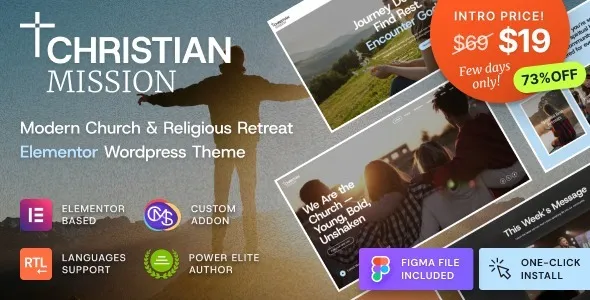
The Christian Mission Church WordPress Theme is a religious WordPress theme designed for ministries, non‑profits, and faith‑based organizations. As a church WordPress theme, it provides layouts for worship events, retreats, and conferences. With the sermon WordPress theme’s features, communities can share pastors’ messages, archives, and inspirational blogs. Its donation WordPress theme integration supports fundraising and charitable campaigns, while the retreat WordPress theme design helps organize spiritual gatherings. Built as a responsive, SEO-optimized WordPress theme, Christian Mission ensures visibility across devices and search engines. Elementor compatibility simplifies customization, making it a powerful choice for churches and ministries.
🌐 Overview
- Theme Name: Christian Mission – Religious Events & Retreats Church WordPress Theme
- Category: Church, Religion & Non‑Profit WordPress Theme
- Best For: Churches, ministries, religious organizations, non‑profits, and faith‑based communities
🎯 Key Features
- Event & Retreat Management
- Dedicated layouts for retreats, conferences, and worship events
- Event calendars with registration and booking options
- Donation & Fundraising Tools
- WooCommerce and GiveWP integration for online donations
- Secure payment gateways for global supporters
- Sermon & Ministry Pages
- Sermon archives, pastor profiles, and mission statements
- Blog sections for inspirational messages and community updates
- Elementor Integration
- Drag‑and‑drop customization with pre‑built templates
- Flexible layouts for ministries, events, and retreats
- Responsive & SEO Optimized
- Mobile‑friendly, retina‑ready design
- RankMath compatible for higher visibility
- Multilingual Support
- WPML compatibility for international congregations
- RTL support for diverse languages
📊 Feature Highlights
| Feature | Christian Mission Benefits |
|---|---|
| Event Management | Retreats, conferences, worship gatherings |
| Donation Systems | WooCommerce & GiveWP integration |
| Sermon Pages | Archives, pastor profiles, mission updates |
| Customization | Elementor drag‑and‑drop builder |
| Responsive Design | Mobile‑friendly, retina‑ready |
| SEO Optimization | RankMath compatible |
| Multilingual Support | WPML & RTL ready |
👥 Who Should Use Christian Mission?
- Churches & Ministries – Share sermons, events, and mission updates.
- Faith‑Based Organizations – Organize retreats and collect donations.
- Non‑profits & Charities – Promote causes and manage fundraising campaigns.
- Community Groups – Build awareness and encourage participation.
⚠️ Considerations & Trade‑offs
- Setup Complexity: Event and donation systems may require plugin configuration.
- Plugin Dependencies: Some advanced functions rely on third‑party plugins.
- Customization Depth: Elementor simplifies design, but advanced workflows may need add‑ons.
Christian Mission – Religious Events & Retreats Church WordPress Theme is a faith‑focused, community‑oriented theme designed for churches, ministries, and religious organizations. It provides tools to organize retreats, events, and worship gatherings while offering donation systems, sermon layouts, and Elementor customization for a modern online presence.









Reviews
There are no reviews yet.