

Description
CheckoutWC – Optimized Checkout for WooCommerce
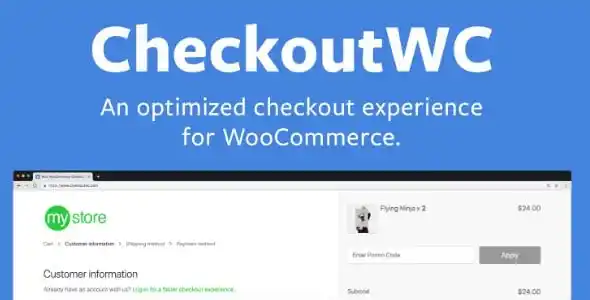
CheckoutWC is a premium WordPress plugin designed to replace WooCommerce’s default checkout with a modern, conversion-optimized experience. Inspired by Shopify’s streamlined checkout flow, CheckoutWC helps online stores reduce cart abandonment, improve customer satisfaction, and increase revenue. With features like express payments, address autocomplete, and mobile-first design, it transforms the checkout process into a fast, intuitive, and professional experience.
🌟 Key Features of CheckoutWC
1. Conversion-Optimized Checkout
- Shopify-Style Layouts: Clean, modern templates proven to boost conversions.
- Express Payments: Support for Apple Pay, Google Pay, PayPal, and more.
- Address Autocomplete: Faster checkout with instant address suggestions.
- Instant Validation: Real-time error checking for smoother form completion.
2. Design & Customization Tools
- Beautiful Templates: Professionally designed checkout pages ready to use.
- Customizable Options: Adjust colors, fonts, and layouts to match your brand.
- Side Cart & Order Bumps: Increase average order value with upsells and add-ons.
- Developer Friendly: Extend and customize with hooks and filters.
3. User Experience Enhancements
- Mobile-First Design: Optimized for smartphones and tablets.
- Faster Checkout Flow: Reduce friction and speed up purchases.
- Cross-Browser Compatibility: Works seamlessly across all major browsers.
- Multi-Step Checkout: Clear, guided process for customers.
4. Extra Functionalities
- One-Click Setup: Easy installation and activation.
- Analytics Integration: Track conversions and performance.
- Localization Support: Translate checkout into multiple languages.
- Compatibility: Works with popular WooCommerce extensions and gateways.
📊 Quick Overview Table
| Feature | Benefit |
|---|---|
| Shopify-Style Layouts | Proven to reduce cart abandonment |
| Express Payments | Faster checkout with Apple Pay, Google Pay, etc. |
| Address Autocomplete | Simplifies form completion |
| Side Cart & Order Bumps | Boosts average order value |
| Mobile-First Design | Optimized for all devices |
| Instant Validation | Reduces checkout errors |
| Analytics Integration | Track conversions and performance |
🌟 Why Choose CheckoutWC?
CheckoutWC is more than just a checkout plugin—it’s a complete optimization solution for WooCommerce stores. By replacing the clunky default checkout with a streamlined, conversion-focused design, it helps businesses maximize sales and deliver a superior shopping experience. Whether you’re running a small boutique or a large eCommerce store, CheckoutWC ensures your checkout process is fast, professional, and built to convert.









Reviews
There are no reviews yet.