
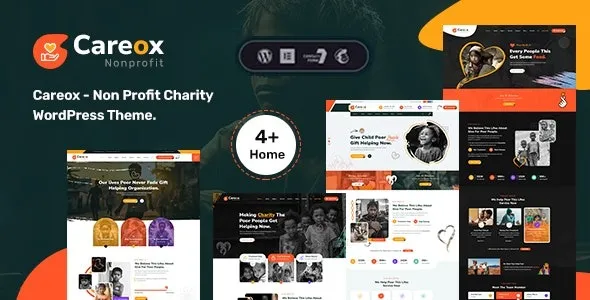

Description
The Careox Non Profit Charity WordPress Theme is a charity WordPress theme designed for NGOs, fundraising campaigns, and community organizations. As a non profit WordPress theme, it provides donation systems with progress bars, donor lists, and multiple payment gateways. With Elementor integration, this fundraising WordPress theme offers drag‑and‑drop customization for campaigns, events, and volunteer pages. Built as an NGO WordPress theme, Careox supports WooCommerce features to sell merchandise or fundraising products online.
Its responsive non profit NGO theme design ensures mobile‑friendly performance, while being an SEO optimized charity theme helps maximize visibility. Whether you need a donation WordPress theme for fundraising or an Elementor charity & donation theme for community engagement, Careox delivers credibility, functionality, and growth. Available exclusively at GPL Fox.
🌐 Overview
- Theme Name: Careox – Non Profit Charity WordPress Theme
- Category: Non‑Profit / Charity / Fundraising WordPress Theme
- Best For: Charities, NGOs, fundraising campaigns, non‑profits, and community organizations
🎯 Key Features
- Donation & Fundraising Tools
- Integrated donation systems with multiple payment gateways
- Campaign pages with progress bars and donor lists
- Event & Community Features
- Event calendars for charity drives, fundraisers, and awareness programs
- Volunteer registration and participation forms
- WooCommerce Integration
- Sell merchandise or fundraising products online
- Secure checkout and inventory management
- Elementor Page Builder
- Drag‑and‑drop customization with charity‑focused widgets
- Flexible layouts for campaigns, events, and stories
- Responsive & SEO Optimized
- Mobile‑friendly, retina‑ready design
- RankMath compatible for higher search visibility
- Multilingual Support
- WPML compatibility for international donors
- RTL support for diverse languages
📊 Feature Highlights
| Feature | Careox Benefits |
|---|---|
| Donation Systems | Progress bars, donor lists, secure payments |
| Event Tools | Calendars, volunteer registration |
| WooCommerce Ready | Sell charity merchandise |
| Customization | Elementor drag‑and‑drop builder |
| Responsive Design | Mobile‑friendly, retina‑ready |
| SEO Optimization | RankMath compatible |
| Multilingual Support | WPML & RTL ready |
👥 Who Should Use Careox?
- Charities & NGOs – Run fundraising campaigns and collect donations.
- Non‑profits – Promote causes and manage events.
- Community Groups – Engage volunteers and raise awareness.
- Fundraising Campaigns – Showcase progress and inspire support.
⚠️ Considerations & Trade‑offs
- Setup Complexity: Donation systems may require plugin configuration.
- Plugin Dependencies: WooCommerce and Elementor needed for full functionality.
- Customization Depth: Advanced workflows may need add‑ons.
✅ Final Takeaway
Careox is a powerful non‑profit charity WordPress theme that helps organizations raise funds, manage events, and inspire communities online. With donation systems, event management, WooCommerce integration, and Elementor customization, it’s the perfect solution for charities, NGOs, and fundraising campaigns seeking a professional, responsive, and SEO‑ready website.









Reviews
There are no reviews yet.