

Description
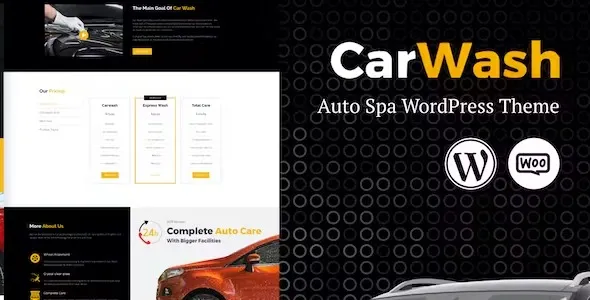
The Car Wash – Auto Spa WordPress Theme from GPL Fox is a powerful auto spa WordPress theme designed for car wash centers, detailing shops, and vehicle care businesses. As a car detailing WordPress template, it offers responsive layouts and customizable designs to highlight services and packages. Agencies benefit from its functionality as a vehicle care WordPress theme that supports online bookings and memberships.
With WooCommerce integration, it works as a car wash booking plugin that enables customers to schedule services instantly. Service providers can rely on it as a responsive auto service WordPress theme that adapts seamlessly to all devices. Optimized for speed, it is also an SEO optimized car wash theme that boosts visibility. Overall, the Car Wash – Auto Spa WordPress Theme is the smart and powerful solution for growing auto spa businesses online.
🎯 Key Features
- Service‑Focused Layouts – Dedicated pages for car wash, detailing, polishing, and auto spa services.
- WooCommerce Integration – Sell service packages and memberships online.
- Appointment Booking System – Allow customers to schedule car wash or detailing sessions easily.
- Elementor Page Builder – Drag‑and‑drop customization with auto spa‑specific widgets.
- Portfolio & Gallery – Showcase before‑and‑after results and completed projects.
- Responsive & Retina‑Ready – Optimized for mobile, tablet, and desktop.
- SEO Optimized – RankMath compatible for higher search visibility.
- Multilingual Support – WPML and RTL ready for international clients.
📊 Feature Highlights
| Feature | Benefits |
|---|---|
| Service Layouts | Highlight car wash & detailing packages |
| WooCommerce Ready | Sell memberships & service bundles |
| Booking System | Online appointment scheduling |
| Customization | Elementor drag‑and‑drop builder |
| Portfolio & Gallery | Showcase auto spa projects |
| Responsive Design | Mobile‑friendly, retina‑ready |
| SEO Optimization | RankMath compatible |
| Multilingual Support | WPML & RTL ready |
👥 Who Should Use Car Wash Theme?
- Car Wash Centers – Present services and manage bookings online.
- Auto Detailing Shops – Showcase polishing, waxing, and detailing packages.
- Vehicle Care Businesses – Build credibility with galleries and testimonials.
- Auto Spa Providers – Sell memberships and service bundles with WooCommerce.
✅ Final Takeaway
Car Wash – Auto Spa WordPress Theme is the ultimate solution for car wash and auto detailing businesses. With WooCommerce integration, appointment booking, and Elementor customization, it’s the perfect theme to grow your auto spa brand and attract more customers online.









Reviews
There are no reviews yet.