
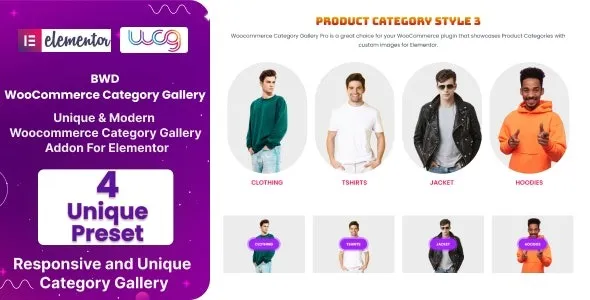

Description
The BWD WooCommerce Category Gallery Addon is a WooCommerce category gallery plugin designed to enhance online stores with stylish and interactive layouts. Built as an Elementor WooCommerce addon, it allows shop owners to create engaging category showcases using grids, carousels, and masonry designs. This WooCommerce category display plugin improves navigation and helps customers discover products faster. As a Best WooCommerce plugin, it ensures mobile‑friendly performance, while being an SEO optimized WooCommerce addon boosts visibility in search engines. Perfect for professional eCommerce sites, this WooCommerce gallery widget delivers a modern, conversion‑focused solution. Available exclusively at GPLFox.
🌐 Overview
- Plugin Name: BWD WooCommerce Category Gallery Addon For Elementor
- Category: WooCommerce / Elementor Add‑on
- Best For: Online shops, eCommerce developers, agencies, and freelancers
🎯 Key Features
- Category Gallery Widgets
- Display WooCommerce product categories in grid, carousel, or masonry layouts
- Add hover effects, animations, and interactive styles
- Elementor Integration
- Drag‑and‑drop category gallery widgets
- Customizable layouts for category showcase pages
- WooCommerce Enhancements
- Highlight featured categories with banners and call‑to‑action buttons
- Improve navigation and product discovery
- Responsive & SEO Optimized
- Mobile‑friendly design with adaptive layouts
- RankMath compatibility for better search visibility
- Customization & Branding
- Control over colors, typography, and gallery styles
- Flexible templates for promotional campaigns
📊 Feature Highlights
| Feature | BWD Addon Benefits |
|---|---|
| Category Gallery Widgets | Showcase categories in grids & carousels |
| Elementor Integration | Drag‑and‑drop customization |
| WooCommerce Enhancements | Highlight featured categories |
| Responsive Design | Mobile‑friendly, adaptive layouts |
| SEO Optimization | RankMath compatible |
| Branding Tools | Typography, color schemes, templates |
👥 Who Should Use BWD Addon?
- Online Store Owners – Showcase product categories with engaging galleries.
- Agencies & Developers – Build custom WooCommerce category pages for clients.
- Freelancers – Create professional category showcases quickly.
- Marketers – Improve conversions with interactive category displays.
⚠️ Considerations & Trade‑offs
- Plugin Dependencies: Requires Elementor and WooCommerce installed.
- Learning Curve: Advanced widget settings may take time to master.
BWD WooCommerce Category Gallery Addon For Elementor is a dynamic WordPress plugin designed to enhance WooCommerce stores by showcasing product categories in visually appealing gallery layouts. Built for Elementor, it helps shop owners create engaging, conversion‑focused category displays without coding.









Reviews
There are no reviews yet.