

Description
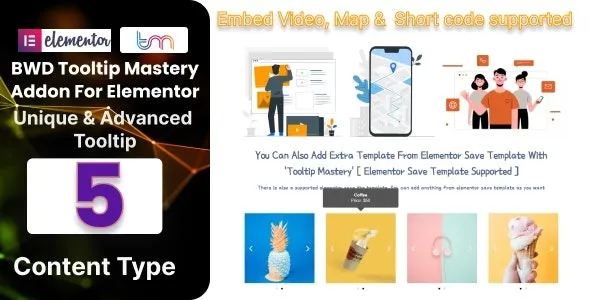
BWD Tooltip Master Addon for Elementor
The BWD Tooltip Master Addon is a specialized WordPress plugin that enhances Elementor by adding stylish, customizable tooltips to any element. It helps designers and developers create interactive, user‑friendly websites where additional information can be displayed elegantly without cluttering the layout.
🌐 Overview
- Purpose: Add advanced tooltip functionality to Elementor elements.
- Audience: Web designers, agencies, and businesses seeking interactive design features.
- Integration: Works seamlessly with the Elementor editor.
🔑 Key Features
- 30+ Tooltip Styles: Wide variety of modern, creative tooltip designs.
- Customizable Appearance: Control colors, fonts, icons, and animations.
- Flexible Positioning: Place tooltips above, below, to the left, or to the right of elements.
- Hover & Click Triggers: Show tooltips on hover or click for better UX.
- Image & Icon Support: Add visuals inside tooltips for richer content.
- Responsive Design: Optimized for mobile, tablet, and desktop.
- Lightweight & Fast: Minimal impact on site performance.
- Easy to Use: Drag‑and‑drop integration with Elementor widgets.
⚙️ How It Works
- Install & Activate: Add the plugin to your WordPress site.
- Open Elementor: Access the Tooltip Master widget.
- Attach Tooltips: Apply tooltips to text, buttons, images, or icons.
- Customize: Adjust style, position, and animation with Elementor controls.
- Publish: Visitors enjoy interactive tooltips that enhance usability.
📊 Comparison Table
| Feature | Default Elementor | BWD Tooltip Master Addon |
|---|---|---|
| Tooltip Styles | Limited | 30+ advanced styles |
| Custom Positioning | Basic | Full control |
| Hover/Click Triggers | No | Yes |
| Image/Icon Tooltips | No | Yes |
| Animations | Limited | Advanced options |
⚠️ Considerations
- Elementor Required: Works only with Elementor installed.
- Learning Curve: Styling options may require experimentation.
- Premium License: Some advanced styles may be Pro‑only.
✅ Best For
- Agencies creating interactive client websites.
- Freelancers adding polished details to designs.
- Businesses want tooltips for product info, guides, or FAQs.
- Educational sites providing inline explanations or definitions.
In short, BWD Tooltip Master Addon for Elementor makes it easy to add stylish, responsive, and customizable tooltips to any element, improving user experience and design interactivity.









Reviews
There are no reviews yet.