

Description
BWD Progress Bar – Addon for Elementor
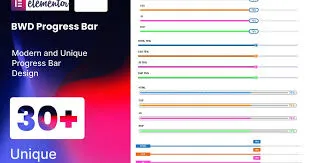
BWD Progress Bar is a versatile WordPress addon for Elementor that lets you create stylish, animated progress bars to visually represent skills, achievements, statistics, or project milestones. With multiple modern designs and full customization options, it’s ideal for agencies, businesses, freelancers, and bloggers who want to present data clearly, engagingly, and professionally.
🌐 Overview
- Purpose: Display progress, skills, or statistics with customizable progress bars.
- Audience: Agencies, freelancers, businesses, bloggers, and e‑commerce stores.
- Integration: Works seamlessly with Elementor’s drag‑and‑drop editor.
🔑 Key Features
- Multiple Progress Bar Styles: Linear, circular, gradient, striped, and animated designs.
- Customizable Values: Set percentages, labels, and descriptions.
- Interactive Animations: Smooth transitions and hover effects for engaging visuals.
- Flexible Styling: Control colors, typography, thickness, and alignment.
- Icon & Text Support: Add icons, titles, or descriptions alongside progress bars.
- Responsive Design: Optimized for mobile, tablet, and desktop.
- Lightweight Performance: Fast‑loading progress bars without slowing down your site.
- Creative Use Cases: Perfect for skill showcases, project timelines, statistics, or service highlights.
⚙️ How It Works
- Install & Activate: Add the addon to your WordPress site.
- Open Elementor, then access the Progress Bar widget.
- Set Values: Define percentage, labels, and supporting text.
- Choose Style: Select from multiple modern progress bar designs.
- Customize Styling: Adjust colors, thickness, animations, and typography.
- Publish: Display interactive progress bars on your site.
📊 Comparison Table
| Feature | Default Elementor | BWD Progress Bar |
|---|---|---|
| Progress Bar Styles | Limited | Multiple creative options |
| Animated Effects | Basic | Advanced transitions |
| Custom Labels & Icons | Minimal | Full support |
| Responsive Design | Partial | Fully optimized |
⚠️ Considerations
- Requires Elementor: Works only with Elementor installed.
- Design Balance: Best used to highlight key stats, not for excessive clutter.
✅ Best For
- Agencies & freelancers showcasing skills or project milestones.
- Businesses presenting statistics or achievements.
- E‑commerce stores highlight product performance or customer satisfaction.
- Bloggers & creators displaying personal progress or data insights.
In short, BWD Progress Bar for Elementor is a flexible addon that transforms ordinary data into stylish, animated progress bars—ideal for showcasing skills, achievements, and statistics in a modern, engaging way.









Reviews
There are no reviews yet.