

Description
BWD 3D WooCommerce Product Layout – Addon for Elementor
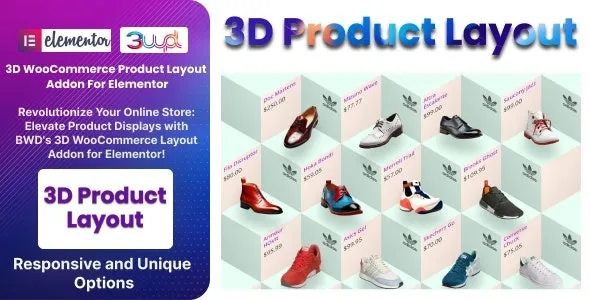
BWD 3D WooCommerce Product Layout is a modern WordPress addon for Elementor that allows you to showcase WooCommerce products in stunning 3D layouts. It’s designed for e‑commerce stores, agencies, and businesses that want to present products in an engaging, interactive, and visually appealing way to captivate customers and boost conversions.
🌐 Overview
- Purpose: Display WooCommerce products in dynamic 3D layouts with interactive effects.
- Audience: Online shops, agencies, freelancers, and businesses using WooCommerce.
- Integration: Works seamlessly with Elementor and WooCommerce.
🔑 Key Features
- 3D Product Layouts: Showcase products in immersive, layered 3D styles.
- Dynamic Product Data: Automatically pulls product details from WooCommerce (images, titles, prices, ratings, add‑to‑cart).
- Customizable Styling: Control colors, typography, spacing, hover effects, and animations.
- Interactive Animations: Smooth transitions and 3D hover effects for engaging visuals.
- Responsive Design: Optimized for mobile, tablet, and desktop.
- Lightweight Performance: Stylish 3D effects without slowing down your store.
- Creative Use Cases: Perfect for product highlights, featured collections, and promotional sections.
⚙️ How It Works
- Install & Activate: Add the addon to your WordPress site.
- Open Elementor: Access the 3D WooCommerce Product Layout widget.
- Select Products: Dynamically pull WooCommerce products.
- Choose Layout: Pick from multiple 3D styles and arrangements.
- Customize Styling: Adjust fonts, overlays, colors, and animations.
- Publish: Showcase interactive 3D product layouts on your store.
📊 Comparison Table
| Feature | Default WooCommerce | BWD 3D Product Layout |
|---|---|---|
| 3D Layouts | No | Yes |
| Dynamic Product Data | Basic | Advanced with 3D visuals |
| Interactive Animations | Minimal | Smooth 3D transitions |
| Responsive Design | Partial | Fully optimized |
⚠️ Considerations
- Requires Elementor & WooCommerce: Works only with both installed.
- Premium License: Advanced 3D layouts and effects may require the Pro version.
- Design Balance: Best used for featured products or collections to avoid clutter.
✅ Best For
- E‑commerce stores showcase featured or premium products.
- Agencies & freelancers designing modern online shops for clients.
- Businesses want to highlight products with immersive 3D visuals.
- Fashion, electronics, furniture, and lifestyle niches need standout product presentations.
In short, BWD 3D WooCommerce Product Layout for Elementor is a powerful addon that transforms standard product listings into immersive 3D showcases—ideal for engaging customers and boosting sales.









Reviews
There are no reviews yet.